Loadable Modules
This guide provides a comprehensive overview of developing loadable modules in 3D Slicer, including the necessary steps for module registration and integration within Slicer’s environment. It covers the creation of module logic, GUI design using Qt, and essential programming practices for effective module communication. Learn to manage dependencies, register new nodes, and implement user interactions with MRML nodes. Ideal for developers seeking to enhance Slicer's functionality through custom modules.


Loadable Modules
E N D
Presentation Transcript
Loadable Modules Julien Finet 2012 NA-MIC All Hands Meeting
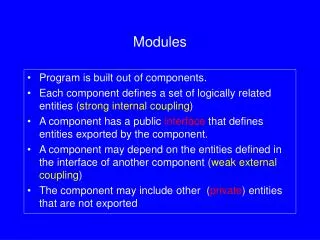
Loadable modules • Slicer • Modules • Core • CLI • Loadable • Colors • CropVolume • Data • Models • Tractography • Transforms • Volumes • VolumeRendering • Scripted
Application MRML Module Module Plugin qSlicerMyModule: public QPlugin Module Logic vtkSlicerMyModuleLogic: public vtkSlicerLogic GUI Module GUI qSlicerMyModuleWidget: public QWidget
Slicer/Modules/Loadable • MyModule • Documentation • Logic • MRMLDisplayableManager • MRML • Resources • Testing • Widgets
Module Plugin qSlicerMyModule create() create() Module Widget qSlicerMyModuleWidget Module Logic vtkSlicerMyModuleLogic Module Designer UI qSlicerMyModuleWidget.ui vtkMRMLScene vtkMRMLNodes
Life of a module… • Slicer start-up • Slicer discovers MyModule • Resolve dependencies • Add module title in menu • Create module logic • Optionally register new nodes • Setup module • Optionally registerIO, displayableManager • Slicer loads a file (Add Data) • Check that registered IO can read • Display IO options within Add Data dialog • Load file using IO • Create module widget on first show
Show me some code… • RegisterIO (Volumes) • Custom widgets (Volumes) • Module node, displayable manager (VolumeRendering) • Logics can depend on other logics (Crop Volume)
MRML Node Connect Connect synchronize Module Widget qvtkConnect(node,vtkCommand::ModifiedEvent,widget,SLOT(onNodeModified())); QObject::connect(slider,SIGNAL(valueChanged(double)), widget, SLOT(onValueChanged(double))); button checkbox
MRML Node 5 20 5 20 Invoke Event SIGNAL Connect Set value Connect Module Widget Set value SLOT SLOT void qSlicerModuleWidget::onMRMLNodeModified(vtkMRMLNode* node) { slider->setValue(node->GetValue()); } void qSlicerModuleWidget::onValueChanged(double newValue) { node->SetValue(newValue); } button checkbox
MRML Node 5 20 5 20 Invoke Event SIGNAL Connect Set value Connect Module Widget Set value SLOT SLOT button checkbox
Design a module • cd Slicer-Superbuild/Slicer-build • ./Slicer --designer • make
Links • http://www.slicer.org/slicerWiki/index.php/Documentation/4.0/Developers/Tutorials/ModuleWriting • http://www.slicer.org/slicerWiki/index.php/Documentation/4.0/Developers/Tutorials/QtDesigner