Download
1 / 12
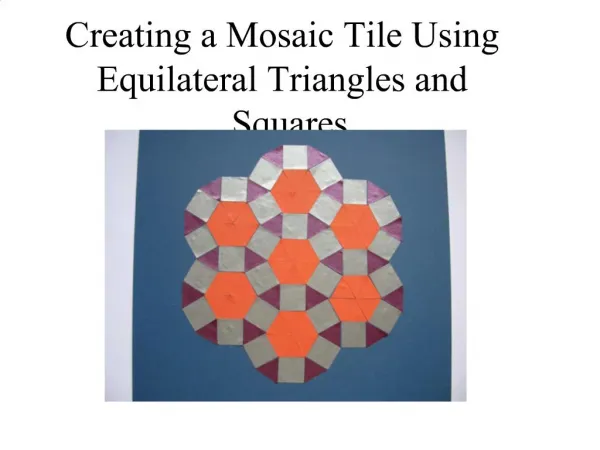
Creating a Mosaic Tile Using Equilateral Triangles and Squares
120 likes | 375 Vues
Step 1. Begin by dividing your base surface into four to find the centre.Place one triangle pointing up to meet the centre-point. Using the horizontal centre line as a guide, place a triangle either side of the first triangle. These triangles should point downwards and neatly touch the centre line

Télécharger la présentation 
Creating a Mosaic Tile Using Equilateral Triangles and Squares
An Image/Link below is provided (as is) to download presentation
Download Policy: Content on the Website is provided to you AS IS for your information and personal use and may not be sold / licensed / shared on other websites without getting consent from its author.
Content is provided to you AS IS for your information and personal use only.
Download presentation by click this link.
While downloading, if for some reason you are not able to download a presentation, the publisher may have deleted the file from their server.
During download, if you can't get a presentation, the file might be deleted by the publisher.
E N D
Presentation Transcript
1. Creating a Mosaic Tile Using Equilateral Triangles and Squares














More Related