CPC 3022 program
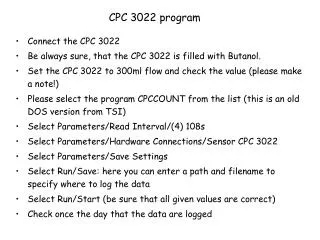
Connect the CPC 3022 Be always sure, that the CPC 3022 is filled with Butanol. Set the CPC 3022 to 300ml flow and check the value (please make a note!) Please select the program CPCCOUNT from the list (this is an old DOS version from TSI) Select Parameters/Read Interval/(4) 108s

CPC 3022 program
E N D
Presentation Transcript
Connect the CPC 3022 • Be always sure, that the CPC 3022 is filled with Butanol. • Set the CPC 3022 to 300ml flow and check the value (please make a note!) • Please select the program CPCCOUNT from the list (this is an old DOS version from TSI) • Select Parameters/Read Interval/(4) 108s • Select Parameters/Hardware Connections/Sensor CPC 3022 • Select Parameters/Save Settings • Select Run/Save: here you can enter a path and filename to specify where to log the data • Select Run/Start (be sure that all given values are correct) • Check once the day that the data are logged CPC 3022 program