Information on Intra-net (webpage)
Welcome to the Intra-net platform, where you can access course materials for KLH3100. To log in, you must have a user account. Stay updated with our time schedule, including time and location details for classes. Check new messages regularly and utilize the email system located in the 'INBOX' section. Here, you can download lecture notes, exercises, and solutions by selecting the relevant file and saving it to your device. Ensure you are registered in the course to gain access to these resources.

Information on Intra-net (webpage)
E N D
Presentation Transcript
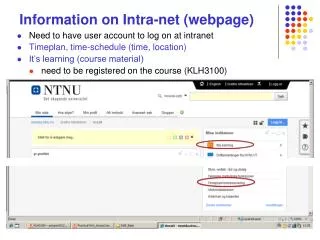
Information on Intra-net (webpage) • Need to have user account to log on at intranet • Timeplan, time-schedule (time, location) • It’s learning (course material) • need to be registered on the course (KLH3100)
It’s learning • New message (check regularly) • Download files (lecture notes, exercises, solutions) • E-mail system (separate from ordinary NTNU-mail)
E-mail via ‘INBOX’ meny upper right corner New messages given as : (Select relevant catalogue name for files to be downloaded - by ‘clicking’ on name)
(Select file you want to open by clicking on file name)