Essential Skills for Word Processing and Spreadsheet Management in Computer Basics
Mastering computer basics is essential for effective word processing and spreadsheet management. Learn how to create graphic organizers, use bulleted and numbered lists, speed up your typing, and understand the importance of page breaks. Discover the functions of spreadsheets, including creating charts and utilizing formulas for calculations. Understand databases with concepts like records and fields, and explore how to manage data. This guide also covers multi-tasking, email basics, and internet safety, ensuring you gain a comprehensive understanding of essential computer skills.

Essential Skills for Word Processing and Spreadsheet Management in Computer Basics
E N D
Presentation Transcript
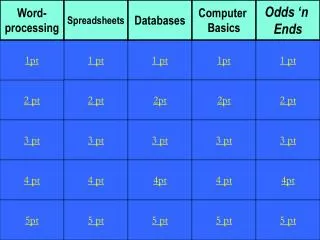
Word- processing Spreadsheets Databases Computer Basics Odds ‘n Ends 1pt 1 pt 1 pt 1pt 1 pt 2 pt 2 pt 2pt 2pt 2 pt 3 pt 3 pt 3 pt 3 pt 3 pt 4 pt 4 pt 4pt 4 pt 4pt 5pt 5 pt 5 pt 5 pt 5 pt
Do this so that you will type faster than someone who does not.
This makes sure that a new page will begin in your document.
The type program used to organize information and calculate total sales (for example.)
What types of graphs (or charts) can you create in a spreadsheet?
What is autosum, the function that will add up the numbers in the cells?
Alignment (center, right, left) • Wrap Text • Number to currency or number of decimals
Date, City, State, Temperature, Air Pressure, and Cloud Cover in this database
To be sure your picture is on a different page from your story.
You can listen to these on the Internet. Your teacher may have some on her blog.
When someone says mean or hurtful things about someone online.
It will help you locate information on the Internet. • It will find both good and bad websites. • It will find more websites than you need.