Download
1 / 14
140 likes | 244 Vues
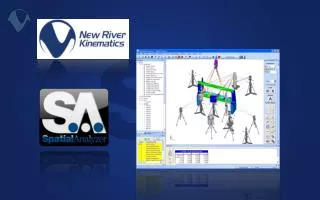
Explore the world of automation solutions tailored for engineering applications with New River Kinematics. This introduction covers key aspects of automation including template files, measurement plans (MPs), and software development kits (SDKs) in C++ and VB. Learn how to customize and optimize your setups, manage relationships and datums, and generate consistent analysis reports. We will delve into user options, automation integration, and real-world examples. Enhance your engineering workflows and achieve reliable results through effective automation techniques.

E N D
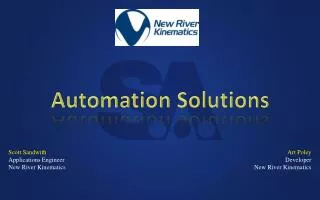
Automation Solutions • Scott Sandwith • ApplicationsEngineer • New RiverKinematics Art Poley Developer New River Kinematics
Automation: Introduction (brief, so we can get into examples) • Automation Solutions • Template Files • Toolkit (GD&T, Relationships, Inspect, Analysis, Report) • MPs (Setup, Acquisition, Analysis, Reporting, Archive) • SDK (C++, VB, Other Languages) • Interfaces • Simple MP • Task Overview • SA Button Control • HTML • Open Instrument • Examples • MP • SDK • Questions
Automation: SA Template Files (Key for Automation) • User Options (Vector Group Settings, Screen, Backups etc.) • Customize SA Menus and Toolbars • Imported Nominals • Points, CAD, Frames etc. • Setup • NAMING CONVENTION • Relationships • Feature Checks and Datums • Dimensions • Report Templates • Embed MP’s • Instrument Stations • Positions • Measurement Profiles • Targeting Offset n SA Template Files Input: Different Parts SA MPs Common Process Solution Output: Consistent Results
Toolkit Automation (covered in other sessions) • GD&T (Imported with CAD – Constructed) • Relationships • Inspection • Analysis • Reporting
Measurement Plans • MP = Scripts of functions • Yikes, there are a lot of functions. Which is nice. • MP functions • Arguments (Input and Output) • Return Status • SA Data Types (make things easier) • Looping, Conditional Tests, Runtime Input and Feedback • Subroutines, Variables, • Data Exchange via ASCII, Excel, ODBC
Simple MP: Relationship Fit and Report • Shade • Make Relationship • Optimize • Set POV • Set Analysis Options • Create VG • Report • MPs Auto Upgrade
Create an MP from scratch • Duplicate circles on a series of points • Ask User to ‘Select Circle to Duplicate’ • Ask User to ‘Select Points’ • Get number of points • Loop • Copy Circle • End
SDK • Enables embedded integration SA functionality • Connect to SA via MP interface • MP provides stub code in C++ and VB • Direct data exchange between SA and Integration App
Automation: SDK Application • 737 Fuselage Join