Mastering Long Document Management: Essential Techniques for Thesis Writers
This session aims to equip participants with crucial skills for managing long documents like theses effectively. Attendees will learn the importance of utilizing key tools in Word and EndNote, addressing common document management challenges, and applying strategies to improve layout, citation, and overall document organization. Key topics include mending broken documents, combining chapters, managing text and layouts, working with images and tables, and leveraging EndNote for referencing. Join us to enhance your problem-solving skills in document management.

Mastering Long Document Management: Essential Techniques for Thesis Writers
E N D
Presentation Transcript
Managing Long Documents Rebecca McCready & Sue VecseySchool of Medical Sciences Education DevelopmentLinda Errington, Moira Bent, Julia RobinsonUniversityLibraries
Learning outcomes • Realise the importance of using key tools in Word and EndNote. • Understand the problems that arise when managing long documents. • Apply techniques to tackle these issues. • Improve ability to problem-solve.
Session outline • Your concerns and questions. • Key skills you should already have. • Mending a broken document. • Strategies for combining chapters. • Other information on thesis-writing.
Issues and concerns • What issues and concerns do you have over managing your thesis? • What skills would you like to learn in this session?
Familiar Key Skills Things you should be familiar with and use regularly
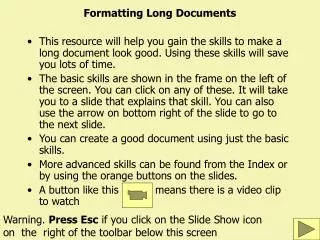
Managing Text • Have your own style set • Use styles • Manage the Quick Style Gallery • Modify styles rather than apply attributes • Use fewer styles • Keep it simple and consistent
Managing Layout • Use of paragraph attributes in styles: • Paragraph spacing before/after • Don’t add space between paragraphs of the same style • Keep with Next • Widow/Orphan control • Page layout: • Section breaks (continuous and next page) • Header and Footer • Page margins
Managing Objects • Images • In Line with Text • Edited using IrfanView • Quality and dimension management • Tables • Styles and inbuilt styles • Table positioning: text wrap to none • Resize table cells • Equations • Inserting and referencing techniques • Symbols and superscript
Referencing Objects • Use captions always • Insert carefully • Use cross-references • Lists of Figures and Tables • Table of Contents • Update references
EndNote • Use one EndNote library for your final thesis • use Groups to organise your references • Use Cite While You Write functionality to work with EndNote and Word together • insert in-text citations and full references • format your bibliography in your chosen style • Use Edit & Manage Citations to: • remove citations • change formatting (e.g. exclude author) • insert page numbers (suffix)
In today’s session • 10 things in 20 minutes • Fix a broken document • Manage chapters: 2 techniques • Summary and conclusion
Check your skill set fms-itskills.ncl.ac.uk/pgres/mldWork through 10 things: 20 minutes
Copy and Paste BENEFITS PROBLEMS
Master Document BENEFITS PROBLEMS
Getting help • Library skills support • EndNote drop in clinics: every Tue 12-1pm term time, L4 reception area, Robinson Library • Faculty Liaison librarians • EndNote library guide • IT skills support • Drop in clinics: Second Wed of every month Bedson Globe cluster (L2) • http://fms-itskills.ncl.ac.uk • ITSkills.Support@ncl.ac.uk