Using Animoto In The K-6 Classroom
Using Animoto In The K-6 Classroom. Kayla Smith EED 324-02 Tech Tool Talk Presentation. Objectives For Today. Identify and describe what Animoto is Assess what is needed to create an Animoto video Look at examples of Animoto videos

Using Animoto In The K-6 Classroom
E N D
Presentation Transcript
Using Animoto In The K-6 Classroom Kayla Smith EED 324-02 Tech Tool Talk Presentation
Objectives For Today • Identify and describe what Animoto is • Assess what is needed to create an Animoto video • Look at examples of Animoto videos • Discuss an activity in which Animoto videos could be used in the K-6 Classroom
What Is Animoto? • There are two types of Animoto • Animoto.com • Animoto.com/education • Animoto is a fast, creative, and fun way to create videos in your classroom • An alternative way to view slideshows • Completely customized • Free (depending on package)
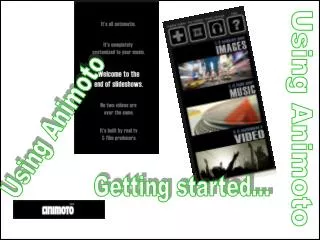
How Does Animoto Work? • Select a theme • Upload or add pictures and videos • Customize pictures • Add text or spotlight • Rotate, duplicate, delete, or shuffle your pictures • Customize Music • Select from free library • Download from your music • Edit video • Select length of your video • Add your title and video description • Let it process
How Does Animoto Work? • http://youtu.be/6-apaZXsQrQ
What’s So Great About Animoto for Educatiors? • FREE packages are available • Register up to 50 students for free • You can use fake email address • Rather than using the students real names, you can use Student One, Student Two, etc. • Signing up with the promotional code provided will allow access for 184 days • You can use the same promotion code for each student you sign up
Ideal Uses for Animoto • Teachers • Give audio and visual enhancement to lessons • Digital Storytelling opportunities • Reinforce complex concepts • Flashcards for vocabulary words • Students • Create a production of who they are • Vocabulary activities • Present ideas and projects • Create news briefs
What Browser/Settings are Needed? • It can be used with Mac and PC • Firefox • Google Chrome • Safari 5+ • Internet Explorer 8 or 9 • JavaScript • Adobe Flash Player (version 10 or greater)
What Problems Might Occur? • The video may have slight breaks in the music • All songs in the given library are not kid friendly however there is a Baby/Kids section • There are limited text capabilities • Make sure you verify the AUP • Check if your school’s server can host • Inappropriate videos may be viewed by anyone with an account
Getting Started • Select pricing plan • Lite- FREE • Plus- $5/month or $30/year • Pro- $39/month or $249/year • Create a login • Email address • Password • Full name • Birthday • Gender • Start creating your own video
Sample Videos • Videos can be found on the Animoto home page • http://animoto.com/education/ • http://animoto.com/play/h3jcVhC0zixnnfpBYTyemQ
Works Cited • 60 Second How to Use Animoto http://youtu.be/6-apaZXsQrQ • Animoto Home Page Julieofalltrades.blogspot.com • Animoto Logo Thede-tech-tive4teachers.blogspot.com