Animoto in the Classroom
Explore the innovative use of Animoto in the classroom to engage students with multimedia projects. This guide provides examples of how businesses and educators utilize Animoto for creating impactful movies, including brainstorming ideas for your own classroom movie. Learn how to plan your video, collect images, add text, and share with peers. Whether showcasing memories or teaching concepts, Animoto offers a dynamic way to present information. Join for free and start creating memorable content that enhances learning and collaboration!

Animoto in the Classroom
E N D
Presentation Transcript
Animoto in the Classroom Jennifer Stairs 893.508.61 August 5, 2008
Let’s look at some examples! Movie on Animoto Businesses use Animoto Movie to use in Classroom Movie of Memories
Brainstorm What ways do you think that you could use Animoto in your classroom?
Plan your own MOVIE! What is the topic of your movie? What information do you want your audience to learn as they watch? What is your purpose?
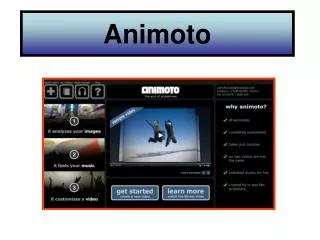
Become a member for FREE! www.animoto.com Remember to use an email that you use on a frequent basis. The link to your movie will be send directly to you!
Collect your images Explore through the internet and/or clip art to find at least 10 images that will help convey your vision. Remember you can add text! **Save in jpg, jpeg, or gif format!
Adding text… In any editing program you feel comfortable… Don’t forget to save in the correct format!
Time to share! Please post your link on Blackboard, so everyone can see the different resources. Now open on your own computer, so we can carousel around the room to see your wonderful work!
Reflection THINK! What new things have you learned about Animoto? How do you feel about the program? Any questions or comments?