Team 01 Engineering Senior Design 2010-2011
400 likes | 610 Vues
Team 01 Engineering Senior Design 2010-2011. Saturday, May 7, 2011. Outline. The Team The Project Design Norms System Overview Individual Subsystems Design Obstacles Final Design Project Assessment Acknowledgments Questions. The Team. Four electrical engineering students


Team 01 Engineering Senior Design 2010-2011
E N D
Presentation Transcript
Team 01Engineering Senior Design 2010-2011 Saturday, May 7, 2011
Outline • The Team • The Project • Design Norms • System Overview • Individual Subsystems • Design • Obstacles • Final Design • Project Assessment • Acknowledgments • Questions
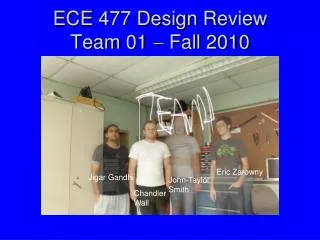
The Team • Four electrical engineering students • Mixed software and hardware experience Amy Kendrick Nathan Avery
Project Selection • Price of energy is increasing. • Energy consumption is increasing. • Electric power metering • Provide useful data for more efficient consumption
The Project ? http://www.cpsc.gov/cpscpub/prerel/prhtml07/07036.jpg http://sp.life123.com/bm.pix/electric-meter.s600x600.jpg
The Project http://earlvillefreelibrary.org/images/computer_pic.jpg
Design Norms • Stewardship • By providing information regarding power consumption we enable consumers to make more conscious decisions about power consumption. • Transparency • The design must work as advertised and clearly alert the user to a fault. • Integrity • The design must accurately report power usage.
System Overview • E Meter • Measure all power • 3 Phase • Smart Breakers • Measure individual circuits • Circuit interruption • Base Station • Presents information
Technical Lead: Amy Ball Power Supply
Power Supply: Design • What was needed? • Alternatives • Decision
Technical Lead: Nathan Jen Smart Breakers
Smart Breakers • Provides the ‘map’ of where electricity is used • Conveniently located out of the way Pictures: http://www.home-energy-metering.com/home-energy-monitor.html http://www.thinkgeek.com/images/products/zoom/kill_a_watt.jpg
Smart Breaker: Design Decisions • Proof of concept • Use ADE7763 • NIOS II microcontroller • Solid state relay • Obstacle • Microcontroller documentation
Smart Breakers: Software • Transfer data • Check for unsafe voltage & current Arduino Uno picture: www.arduino.cc
Smart Breakers: PCB SPI Interface to Arduino Emergency Switch Metering Device Interrupter
Technical Lead: Avery Sterk Base Station
Base Station – Design Decisions • Needs to collect data from other subsystems • Best to have an always-on device • Needs to store data for future reference • Storage internal to the device • Needs to display information • Provide a familiar webpage-like interface • Best option: a single-purpose computer • Calvin already owned a suitable board
Base Station – Obstacles Obstacles Resolution LEON3 softprocessor (SPARC compatible) Bundled Linux distribution Built a custom Linux distribution from scratch Change in scope: focus on collection software • Processor selection • Operating System • Linux distribution severely disorganized and broken • Bootloader doesn’t work well with our Linux
Base Station – Final Design • Perl script to manage a ZigBee network • Use Perl and Gnuplot to chart data Camel Logo by O’Reilly Media, from www.perl.com
Techincal Lead: Kendrick Wiersma E-Meter Hardware
E-Meter Hardware: Design • MCU: MSP430 from Texas Instruments • Low power consumption • Tailored for metering applications • Integrated LCD driver • Serial Communications (RS232) • Xbee Radio • Dedicated printed circuit board
E-Meter Hardware: Obstacles Obstacles Resolution JCI etched and populated board Attach required crystals Help from Chuck Cox of SynchroSystems in Boston. Split board into two separate boards • Surface-mount components • Peripheral clocking • LCD driver • Board size limitation
E-Meter Hardware: Input Board Voltage Input Current Transformers Connection to main board
E-Meter Hardware: Main Board LCD Screen MSP430 (MCU) Connection to Input board Wireless Communication Serial (RS232) Connection
Technical Lead: Avery Sterk E-Meter Software
E-Meter Software: Design • Read current and voltage information • MSP430 reads analog information in hardware • Compute power and energy usage • Interpret data and crunch numbers • Run for a long time without resetting • Avoid overflowing data • Need to conserve power • Put features to sleep when not in use
E-Meter Software: Obstacles Obstacles Resolution Study example code and part user manuals Pre-compute conversion factors, verify results Re-configure software, make HW substitutions Create a simple interface, allow for more data sent to the base station • Interrupt-driven programming • Measurement calibration • LCD driver software was built for a different setup • Only one button for user interface
Project Assessment • Project is a success • Met our goal of measuring power • Under budget: used $360 of $700 allowance • Learning Experience • Much more than equations and schematics • Experience with new EE concepts • Troubleshooting and recovery • What we would do differently • Limit scope to improve functionality
Acknowledgements • Professor VanderLeest – team advisor • JCI: Mark Michmerhuizen, Brian Deblay, Joshua Sliter • Tim Theriault – industrial consultant • Professor Ribeiro – Engr. 315 Controls class • Bob DeKraker, Chuck Holwerda, Phil Jasperse, Glenn Remelts • Professor Medema & Bus. 396 team • SynchroSystems – Chuck Cox, John Lupien • Consumer’s Energy • Texas Instruments Thank You!
Questions ? ? ? ?