Understanding Control Structures in C Programming
This guide provides an in-depth examination of control structures in C programming, including selection (if, else, switch) and repetition (while, do-while, for) constructs. Learn how to alter the flow of control with break and continue statements, handle repetitive tasks, and manage conditional logic to streamline code execution. The document also covers potential ambiguities in if/else statements, best practices for using braces, and foundational character I/O operations, equipping you with essential skills for effective programming.

Understanding Control Structures in C Programming
E N D
Presentation Transcript
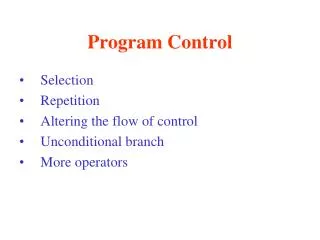
Program Control • Selection • Repetition • Altering the flow of control • Unconditional branch • More operators • RSI – Repetitive Stress Injury
Selection – 3 Ways • If structure (single selection) • If/else structure (double, multiple selection) if(condition1) statement1; else if(condition2) statement2; . . . . . .; else statementN; • Switch structure (multiple selection)
If Structure • If no parenthesis, then only the 1st statement following the if statement is associated with it • if(a>b) c=3; d=4; • So d=4; will always be evaluated
If/else Ambiguity • If one if statement doesn’t have an ending else & another one does, may be ambiguous • Resolved by associating the else with the closest if if(a>b) if(c>d) e=3; else d=4; • Must use braces to associate with the outside if if(a>b){ if(c>d) e=3; }else d=4;
Switch Structure • Handles a series of decisions • Must include a break statement • If not, each case statement will be executed until encounter another break statement or reach end • Several cases can execute the same statements • By listing case statements together • Can only test constant integral expressions
/* Counting A,B,C or a,b,c (counting.txt)*/ #include <stdio.h> int main(){ int a=0,b=0,c=0,e=0,ch=0; while((ch=getchar()) != EOF){ switch(ch){ case 'A': case 'a': a++; break; case 'B': case 'b': b++; break; case 'C': case 'c': c++; break; default: e++; break;/*defensive programming*/ } } printf("\na=%d\nb=%d\nc=%d\nextra=%d",a,b,c,e); return 0; }
Character I/O • Text input or output = stream of characters • Standard library functions for char I/O char c; c = getchar(); /*input*/ putchar(c); /*output*/ • Will get or put one character at a time from the input or output text stream
End-of-File Marker • EOF defined in ANSI standard as a negative integer • EOF key combinations on different systems: • UNIX systems: ctrl-d • IBM PC and compatibles: ctrl-z • Macintosh: ctrl-d
Repetition – 3 Ways • while (condition) {statements;} • while(1+2*5){ printf(“infinite loop ”); } • do{statements} while(condition) • do{printf(“one”); } while(1 < 0); • for(initialize, condition, increment) • for(i=0; i<5; i=i+1) {printf(“five”);} • Note:For conditions in C, • false = 0 & true = nonzero (anything else)
for = = while • for(expr1;expr2;expr3) statement; • Is equivalent to: • expr1; while(expr2){ statement; expr3; } • This will create an infinite loop: • for(;;){ . . .}
Comma in For Loops • Can put commas in for loops • Evaluated left to right #include <stdio.h> int main() { int a=0,b=0; for(a=0, b=10; a<b; a++, b--) printf("a=%d b=%d\n",a,b); return 0; }/*see comma.txt*/
Alter Flow of Control • break; • Immediately exit from while, for, do/while, or switch statements • continue; • Skips the remaining statements • Performs the next iteration of while, for, or do/while loop
Unconditional Branch #include <stdio.h> int main(){ start: printf("hello"); gotostart; return 0; } /*see goto.txt*/
Goto • As a general rule, not a good idea to use goto • Might use when need to escape from a deeply nested structure (since break will only exit from innermost loop) for(. . .) { for(. . .){ if(need_to_stop) goto stop_loop; }} stop_loop: Continue with the program. . .
ASCII Character Codes • '0' 48 dec 0x30 0011 0000 • '9' 57 dec 0x39 0011 1001 • 'A' 65 dec 0x41 0100 0001 • 'Z' 90 dec 0x5A 0101 1010 • 'a' 97 dec 0x61 0110 0001 • 'z' 122 dec 0x7A 0111 1010
Formatted Output • Conversion character tables • Chapter 9, Fig. 9.1, 9.3, 9.6 • %c (char), %d (dec), %x (hex), %f (float) char c = 'A'; int i = 66; printf("c=%c i=%c\n", c, i); //c=A i=B printf("c=%d i=%d\n", c, i); //c=65 i=66 printf("c=%x i=%x\n", c, i); //c=41 i=42 • What’s the output if we set i = 66 + 1024? • See format.c
Formatted Output i=50 i= 50 i=0.000000 f= 5.368900 f=5.369 f= 5.369 int i = 50; float f = 5.3689; printf("i=%d\n", i); printf("i=%4d\n", i); printf("i=%f\n", i); printf("f=%10f\n", f); printf("f=%.3f\n", f); printf("f=%10.3f\n", f);
Class Exercise 1 • See exercise1.txt
Relational & Logical Operators • Relational: >, >=, <, <=, ==, != • Logical: &&, ||, ! • Evaluated left to right • Evaluation stops as soon as true or false is determined • Ex: if(a && b && c) • Will stop if “b && c” is false • Often see if(!x), which means if(x==0)
Type Conversions • Implicit conversion – if an operation has operands of different types, the “narrower” one will be converted to the “wider” one • 2.0 / 5 evaluates to 0.4 (a float) • Explicit conversion – can force a conversion with a cast • (type-name) expression • ((int)2.0) / 5 evaluates to 0 (an integer) • a = sqrt((double) x); (a = double, x = integer)
Increment & Decrement Oper. • Preincrement • Assign old value, then add 1 • Postincrement • Add 1, then assign new value • For example, if a = 3 b = ++a; /*(b=4, a=4)*/ b = a++; /*(b=4, a=4)*/ /*(b=4, a=5)*/
Assignment Operators x = x + 5; • Can also be written as x += 5; a *= b + 5; • Evaluates to a = a *(b + 5); • And not a = a * b + 5;
Conditional Expressions if (x>y) a=0; else a =1; • Can also be written as x>y ? a = 0 : a = 1;
Precedence • Precedence & of operators • See table in Dietel & Dietel, Appendix C
Class Exercise 2 • See exercise2.txt
Class Exercise 3 • See exercise3.txt
Class Exercise 4 • Do exercise 4.26 from Deitel & Deitel textbook
Repetitive Strain Injury (RSI) • Risk factors • Over 2 hours of keyboard use a day • Marathon keyboard use (deadlines, video games) • High stress work • Sitting for a long time • Poor posture • Symptoms (in neck, shoulders, back, arms, or hands) • Tightness • General soreness • Dull ache • Numbness • Loss of strength
Repetitive Strain Injury (RSI) • How to avoid • Avoid long sessions & take frequent breaks • Take “micro-break” (shift position, stretch) • Proper position (back straight, head over shoulders, elbows at right angle, wrists straight, fingers curved) • Type lightly • Get plenty of rest & sleep • Web site:http://www.rsihelp.com/