Mounting different drives on one partition
130 likes | 249 Vues
This document outlines a strategy for effectively managing large datasets in the field of medical imaging and data storage. Utilizing low-cost large disk drives, it explains how to mount different drives on a single partition to enable RAID storage and organize data into yearly archives for easier retrieval. It covers technical aspects including the creation of mount points, clinical indexes, and the advantages of splitting data by year to optimize access speed. This approach ensures secure, convenient online report access while avoiding the pitfalls of overloaded clinical indices.


Mounting different drives on one partition
E N D
Presentation Transcript
Mounting different drives on one partition Nick TulleyPhysics & Nuclear Medicine City Hospital, Birmingham
Why? Making use of low cost large disk drives Enable the use of RAID storage Archiving ‘Report Screens’ for on-line access Organising data into ‘years’ for logical retrieval
Too many drives • Seven years data on small disks • Where is the study I’m looking for? • Mount ALL the drives A large drive means a large index (CINDEX) These are very slow to load Split the data into YEAR drives! Use names: 2003, 2004 however...
Yearly Archives Use drive names: 2003, 2004 Name of mount points limited: Name must start “img” Only 5 characters Use: /img03, /img04
Example Installation Three Gamma cameras Four Odyssey base stations Three acquisition stations One ‘data store’ (Linux)
Remote RAID Disk Storage Fred Holmes Eric Ollie Data Storage Stan Watson Ginger Ernie Album (Linux) ReportingStations Prism XP Axis GE Base Stations AcquisitionStations GammaCameras Philips OdysseyComputer System Layout
The basic set up Odyssey workstation (Unix) Remote Storage (Linux)
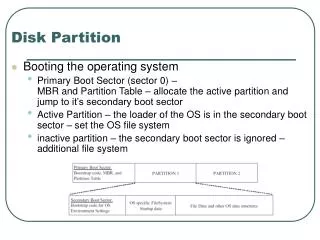
Creating ‘Yearly Archives’ On the Linux system: Create a new directory for your data Create a mount point in the root directory Make it available to named remote computers On the Prism workstation: Create a new directory for the mount point Build the Clinical IndexTell disk manager about the new mount point
E.g. 1999: On Linux (1) Logon as administrator [pwd needed]. su root Create the 'real' directory on large drive.mkdir -m 777 /imgdata/images1999 Create the mountable 1999 directory in root. mkdir -m 777 /img99 Forge a 'link' between them. mount --bind /img80/images1999 /img99
E.g. 1999: On Linux (2) Change to /etc directory cd /etc Run 'vi' (or other) editor. vi exports Type a new line. /img99 eric(rw) Make the new directory available. exportfs -ra
E.g. 1999: On Prism (1) Logon as administrator [pwd needed]. su root Create the 1999 directory in root. mkdir -m 777 /img99 Logoff from root. exit Create the Clinical Index (CINDEX). cibuild -d /img99
E.g. 1999: On Prism (2) Change to (home)/prism/site directory cd site Edit the SiteEnv file nedit SiteEnv Find the 'DISKLIST' entry Ctrl-F DISKLIST Add the new directory to the mount list #/album:/img99 Setenv DISKLIST “eric:/img4 # album:/img99 #”
Conclusion Can use large disk drives on other systems Currently tested for Linux Would work on Server 2003 (SFU needed) More secure data (RAID) Convenience of on-line Report Screens Splitting data into ‘years’ avoids large, slow Clinical Index