Intro to Podcasting
110 likes | 225 Vues
Explore the comprehensive resources and equipment available for podcasting at the LTC Multimedia Lab. From digital voice recorders to USB headset microphones, our equipment is available for loan with varying periods, ensuring you have the tools needed for a successful project. Learn about our new audio booth rooms designed for quiet recordings and check out our video and audio editing software options like iMovie, Audacity, and GarageBand. Reserve equipment and rooms ahead of time and consult with our staff for optimal results in your multimedia endeavors.


Intro to Podcasting
E N D
Presentation Transcript
Intro to Podcasting March 12th 2007
Equipment Check Out • Handled by LTC front desk • Camera equipment (tripods, mics, etc.) • Digital voice recorders/transcribers • External hard drives • USB headset microphones • Limited equipment supply • Loan periods vary by item (24 – 72 hours) • Reserve ahead of time
General Multimedia Lab Policies • Usage is on a first come, first serve basis • Sign in/out at LTC front desk • Exchange student ID for headphones and station assignment • Hours of operation are same as LTC: • Monday – Thursday: 9am-9pm • Friday – Saturday: 9am-5pm • Sunday: Closed
New Audio Booth Rooms • Located outside Gutman 303 (Room 304) • Two separate setups • Both MAC and PC computers w/ mics • Designed as “quiet space” for recordings • Rooms must be reserved • Request times at front desk or through Gino • Check in at front desk to be let in
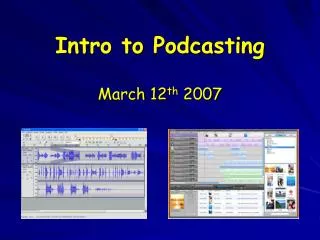
Video Editing iMovie and iDVD Final Cut Pro Audio Editing: Garageband Audacity Graphic Design: Adobe Suite iPhoto Flash Web Editing: Dreamweaver iWeb Transmit (FTP) Available Tools
Multimedia Lab iSite • http://isites.harvard.edu/icb/icb.do?keyword=k1967&pageid=icb.page11770 • Great tool when help is not immediately available • Lab overview, project advice, tutorials, etc.
Saving Your Work • Two main options: • Local hard drive: “Student Save Drive” • External storage device • Organization of materials is essential! • Always create a project folder • Keep all project parts in the same place
Project Advice • Test out all equipment before using • Important for audio and video quality • Plan ahead! • Limited equipment and workstations • Schedule a consultation
Tracking Down Help • Gino’s Hours: • Monday – Friday: 8am – 4:30pm • Office is part of LTC front desk (Gut 301) • Email: beniamgi@gse.harvard.edu • Walk-in questions are always welcome • Based on availability • Arrange appointments via email/in person • Necessary to schedule larger chunks of time
Podcasting Tips • Plan out a storyboard • Decide on best recording method • DVR vs. headset mic vs. Snowball mic • Each serves a different purpose • Choose editing platform • GarageBand vs. Audacity