
Overview of NERSC T3E Training: Hardware, Programming, and Execution Insights
E N D
Presentation Transcript
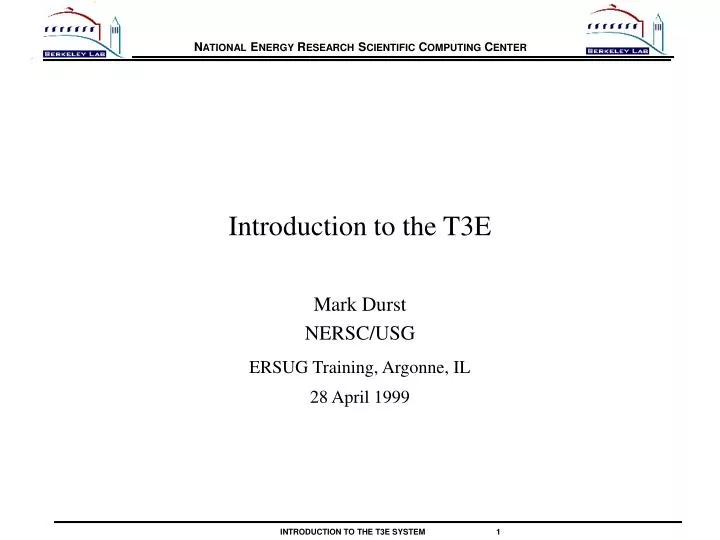
Introduction to the T3E Mark Durst NERSC/USG ERSUG Training, Argonne, IL 28 April 1999
Outline • Hardware and Configuration • Programming Environment • Planning Runs • Monitoring Execution • Accounting • Additional Resources • Elvis Impression
NERSC T3E Configuration • Commodity DEC Alpha EV-5 superscalar processor • 450 MHz clock • 900 Mflops/PE peak (only 5-10% typically achieved) • Theoretical peak performance: 575 Gflops • 256 MB memory per PE • 692 PEs in 3 flavors • 644 Application • 33 Command (ideally) • 15 OS • Access via telnet, ssh, FTP • Connect to NERSC mass storage, AFS
Interactive Environment • UNICOS/mk • Available shells: sh/ksh, csh, tcsh • csh: no file completion • tcsh not Cray-supported • Home directories • 2 GB file quota (with possible data migration) • 3500 inode quota • /usr/tmp • Used both for batch and temporary user space • 75 GByte quota, 6K inode quota • Fastest transfer rates
modules • modules manages user environment • Paths • Environment variables • Aliases • Cray’s PrgEnv is modules-driven • Provided startup files are critical! • Add to them, don’t clobber them • Add to paths, don’t set them • If you mess up, no compilers, etc. • Largely automatic
More Fun with modules • module list (tells you what’s loaded) • module avail (lists them all) • Other module subcommands • load • unload • switch • help • Roll back compilers • Test new versions • http://home.nersc.gov/software/os/modules.html
Other modules • imsl (loads by default) • nag (loads by default) • scalapack (1.5) • GNU (prepends) and GNU.tools (appends) • tools (tcsh, bash) • netcdf • KCC (KAI C++ compiler) • USG • tedi
Programming Environment • f90 • cc/CC • cam (assembler) • cld (loader; usually unneeded) • pghpf • KCC (“module load KCC”) • totalview (debugger) • pat, apprentice (performance analysis)
f90 • Conforms to Fortran 90 standard • Much “standard” f77 wasn’t • User-defined and abstract types • Array syntax • Allocatable objects and pointers • Additional intrinsics • cpp-like preprocessor
Important f90 options • -f: source form (fixed or free) • Defaults: .f fixed, .f90 free • -c: Compile only • -oname: Name executable • Overrides -c (use -bname instead) • -g, -G0, -G1: debugging • -O[0-3]: general optimization • -Ra, -Rb: Argument/Bounds checking • -dp: Double precision 64-bit single precision • -i 32 / -s default32: 32-bit integers / numbers • -ev: Static memory allocation
Executables: Malleable or Fixed • -Xnpes (e.g., -X64) creates “fixed” executable • Always runs on same number of (application) processors • Type ./a.out to run • -Xm or no -X option creates “malleable” executable • ./a.out will run on command PE • mpprun -n npes ./a.out runs on npes APP PEs
Execution Model • In F90, C, C++, all processors execute same program • Can ask for: • Process number (from zero up) • MY_PE() (F90) • _my_pe() (C/C++) • Total number of PEs • NUM_PES() (F90) • _num_pes() (C/C++) • Above used to establish “master/slave” relationships • Libraries still needed for communication
Libraries • MPI (Message-Passing Interface) • PVM (Parallel Virtual Machine) • SHMEM (SHared MEMory; non-portable) • BLACS (Basic Linear Algebra Communication Subprograms) • ScaLAPACK (SCAlable [parts of] LAPACK) • NetCDF (NETwork Common Data Format) • HDF (Hierarchical Data Format) • LIBSCI (including parallel FFTs), NAG, IMSL
Archival Storage in HPSS • High-Performance Storage System • Designed for scalability & hierarchies • User storage quotas exist • Access via ftp or new hsi utility • Two systems: • hpss.nersc.gov (hsi hpss) • archive.nersc.gov (hsi, hsi archive) contains old CFS files • merger planned
Networking Issues • AFS • Accounts must be requested • Tiny local quotas • Available on Crays through NFS/AFS gateway • Non-trivial latencies • Remote logins • .rhosts access not permitted; no incoming “r- commands” • ssh available • xterm only “backwards”
Execution modes • Interactive serial • < 60 minutes • on command PEs • slightly reduced memory • Interactive parallel • < 30 minutes • < 64 processors • Batch
Batch queues on mcurie.nersc.gov • To see them: qstat -b • pe16 through pe512 • 4 hours “on the torus” • Routine parallel jobs • serial_short: 4 hours on a single command PE • debug_small: ½ hour, up to 32 PEs • long128, gc128, gc256: 12-hour queues • 64 PEs • gc queues restricted • Largest queues shuffled in at night • Other jobs checkpointed out • Subject to change
Batch submission • Jobs are shell scripts • cqsub submits, returns task ID; cqdel deletes • cqstatl/qstat gets status (many options) • NQS parameters determine queue • #QSUB -l mpp_p=… (number of PEs) • #QSUB -l mpp_t=… (“parallel” time) • for serial jobs: • use #QSUB -q serial • not#QSUB -l mpp_p=1
Pipe Queues • You submit to pipe queues, not batch queues • Use only pipe names in directives like:#QSUB -q serial • Group batch queues: • serial = serial_short • debug = debug_small • production = pe128 through pe512 • long = long128, gc128, gc256 • 3 jobs per user in production + long • 3 in serial, one in debug • To see them: qstat -p
Scheduling Information • Lots of NQS-related limits • Queue run limits • Queue “complex” run limits • Global Resource Manager • Fits jobs into contiguous sets of PEs • Once started, jobs run to completion (mostly) • First-fit algorithm lets small jobs trample big ones • grmview shows PE status, waiting jobs
Scheduling Information (cont’d) • pslist gives summary of GRM data • No man page; pslist -h instead • Checkpointing • For system maintenance • To run test and “grand challenge” jobs • Shows “Hop” in qstat/cqstatl (held by operator) • mppview more nuts-and-bolts
Accounting and allocations • T3E allocations are in node-minutes • setcub view repo=reponame • setcub view user=username • newacct reponame switches repos interactively • One login name per user; multiple repos • #QSUB -A reponame charges batch jobs • Charging updated daily; enforcement manual
On-line Resources • T3E pages under “Computers” at home.nersc.gov • Read overview once, check “Changes” monthly • Docs in Cray on-line system • http://www.cray.com/swpubs/ • “Topics” to T3E collection • Many other docs (e.g., F90, C manual sets) • Cray Web site, www.cray.com • Technical documents, additional on-line docs • NERSC T3E tutorials • “Training” “NERSC Tutorials”
More on-line resources • Other NERSC tutorials • Using the Cray f90 compiler at NERSC • Introduction to make • NQE: Using the batch system • Look over NERSC Web generally
man pages • cqsub • cqstatl • f90 • cc • CC