Tree Balancing: AVL Trees
250 likes | 380 Vues
This article explores AVL trees, a self-balancing binary search tree (BST) model introduced by Russian mathematician Georgy Adelson-Velsky. We discuss the significance of keeping BSTs balanced to ensure efficient search times of O(log N). The concept of the balance factor (BF) is explained, including insertion and deletion operations that maintain balance through rotations: single (left and right) and double rotations (left-right and right-left). Examples and exercises illustrate the complexities of rebalancing AVL trees effectively.


Tree Balancing: AVL Trees
E N D
Presentation Transcript
Tree Balancing: AVL Trees Dr. Yingwu Zhu
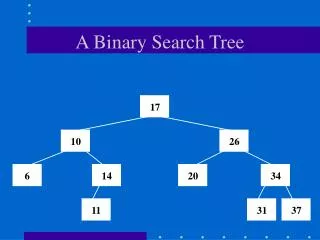
Recall in BST • The insertion order of items determine the shape of BST • Balanced: search T(n)=O(logN) • Unbalanced: T(n) = O(n) • Key issue: • A need to keep a BST balanced! • Introduce AVL trees, by Russian mathematican
AVL Tree Definition • First, a BST • Second, height-balance property: balance factor of each node is 0, 1, or -1 • Question: what is balance factor? BF = Height of the left subtree – height of the right subtree Height: # of levels in a subtree/tree
Determine balance factor A B D C E G F H
ADT: AVL Trees • Data structure to implement Balance factor Data Left Right
ADT: AVL Trees • Basic operations • Constructor, search, travesal, empty • Insert: keep balanced! • Delete: keep balanced! • See P842 for class template • Similar to BST
Example RI Insert “DE”, what happens? Need rebalancing? PA
Basic Rebalancing Rotation • Single rotation: • Right rotation: the inserted item is on the left subtree of left child of the nearest ancestor with BF of 2 • Left rotation: the inserted item is on the right subtree of right child of the nearest ancestor with BF of -2 • Double rotation • Left-right rotation: the inserted item is on the right subtree of left child of the nearest ancestor with BF of 2 • Right-left rotation: the inserted item is on the left subtree of right child of the nearest ancestor with BF of -2
How to perform rotations • Rotations are carried out by resetting links • Two steps: • Determine which rotation • Perform the rotation
Right Rotation • Key: identify the nearest ancestor of inserted item with BF +2 • A: the nearest ancestor. B: left child • Step1: reset the link from parent of A to B • Step2: set the left link of A equal to the right link of B • Step3: set the right link of B to A • Examples
new A B L(A) L(B) R(B) h
Exercise #1 10 4 How about insert 8 20 6 9
Left Rotation • Step1: reset the link from parent of A to B • Step2: set the right link of A to the left link of B • Step3: set the left link of B to A • Examples
new Example A B L(A) h L(B) R(B)
Exercise #2 7 18 What if insert 5 15 10 20
Exercise #3 12 1 How about insert 8 16 4 10 14 2 6
Basic Rebalancing Rotation • Double rotation • Left-right rotation: the inserted item is on the right subtree of left child of the nearest ancestor with BF of 2 • Right-left rotation: the inserted item is on the left subtree of right child of the nearest ancestor with BF of -2
Double Rotations • Left-right rotation • Right-left rotation • How to perform? 1. Rotate child and grandchild nodes of the ancestor 2. Rotate the ancestor and its new child node
Example A C What if insert B
new Example A B R(A) h+1 C L(B) h+1 L(C) R(C) h
Exercise #4 12 7 How about insert 8 16 4 10 14 2 6
Exercise #5 4 2 6 15 What if insert 1 3 5 7 16
Exercise #5 4 2 6 14 What if insert 1 3 5 15 7 16
Summary on rebalancing • The key is you need to identify the nearest ancestor of inserted item • Determine the rotation by definition • Perform the rotation