
SlideServe
Menu
Préférences
© SlideServe · v2026

Comprehensive Timesheet Tutorial for CCSnet Login and Submission Process

helia avatar
16 diapositives · 336 Views · Oct 01, 2014

This tutorial guides you on how to successfully log in to CCSnet and create your timesheet. Press F5 to start the tutorial; click on the screenshot to navigate through steps. Learn how to retrieve your SID and PIN if forgotten, along with essential details for entering split shifts accurately. Remember, timesheets are due monthly, and submission by deadlines is crucial for your employment status. Late submissions can result in probation or suspension. Stay informed to ensure timely approval by your supervisor.
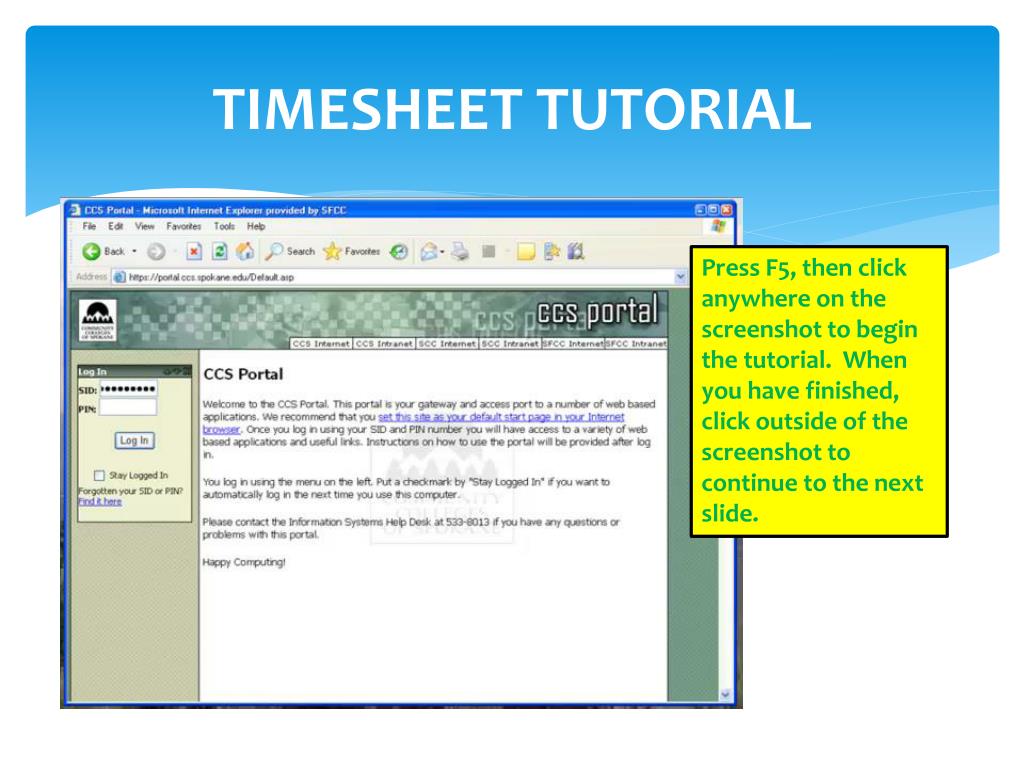
Comprehensive Timesheet Tutorial for CCSnet Login and Submission Process - slide 1
01 / 16Comprehensive Timesheet Tutorial for CCSnet Login and Submission Process
1 / 17

Télécharger la présentation

Comprehensive Timesheet Tutorial for CCSnet Login and Submission Process
Une image / un lien ci-dessous est fourni (tel quel) pour télécharger la présentation

Politique de téléchargement : le contenu du site vous est fourni TEL QUEL pour votre information et votre usage personnel ; il ne peut être vendu, concédé sous licence ni partagé sur d’autres sites sans l’accord de son auteur.Le contenu vous est fourni TEL QUEL, pour votre information et votre usage personnel uniquement. Téléchargez la présentation en cliquant sur ce lien. Lors du téléchargement, si vous ne parvenez pas à télécharger une présentation, l’éditeur a peut-être supprimé le fichier de son serveur.Pendant le téléchargement, si vous ne parvenez pas à obtenir une présentation, le fichier a peut-être été supprimé par l’éditeur.

F I N

Plus de contenu associé

Transcription de la présentation
  1. TIMESHEET TUTORIAL Press F5, then click anywhere on the screenshot to begin the tutorial. When you have finished, click outside of the screenshot to continue to the next slide.

  2. THE CCSNET LOGIN

  3. To create your timesheet go to the CCSnetlogin via the SFCC website. If you have forgotten your SID or PIN, select Find them here.

  4. In Pin Look-Up, enter your social security number and birth date, with slashes as shown (MM/DD/YYYY), and select Find your SID and pin.

  5. 826262626 123456 The result will be your correct SID and PIN.* * NOTE: The payroll PIN that you will use to create your timesheets is not the same as the PIN you received at registration. Logging in with the wrong PIN over time will cause lock up denying you access.

  6. Enter the correct SID and PIN to Log in.

  7. PROBLEMS WITH YOUR PIN? You may need to have yourPIN RESET.

  8. Call payroll at 434-5288

  9. ENTERINGSPLIT SHIFTS ON YOUR TIMESHEET

  10. First enter the Day, Start & End times of the first shift worked and select Save Entry.

  11. Re-enter the same Day for the second shift worked.

  12. Then enter the Start & End times of your second shift and select Save Entry.

  13. Both shifts will appear on the same day on your timesheet.

  14. TIMESHEET FACTS • Timesheets are due on the last day of each month that you work. • Your submitted timesheet is received by your supervisor for approval. • A timesheet with errors will be rejected back to you by your supervisor or the work study office, for you to correct and re-submit. • Check your portal a day or two after timesheet submission to assure it was approved.

  15. I M P O R T A N T Submitting your timesheets by the deadlines is a condition of your continued employment through the work study program. LATE TIMESHEETS ARE AN AUDIT LIABILITY! LATE TIMESHEET = LATE PAYCHECK FIRST LATE TIMESHEET = PROBATION SECOND LATE TIMESHEET = SUSPENSION

  16. FINAL REMINDERS Enter your hours in the timesheet portal on a daily basis. Submit your timesheet on the last day you work each month.