Download
1 / 19
190 likes | 290 Vues
Explore the benefits of using student response systems in various educational settings such as higher education and K-12 classrooms. Learn how these systems engage students and improve learning outcomes through interactive activities. Discover typical applications, technology selection factors, and references for further research. See live demos and join the discussion on challenges and opportunities presented by SRS.

E N D
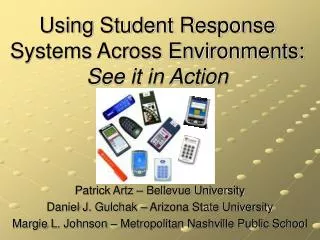
Using Student Response Systems Across Environments: See it in Action Patrick Artz – Bellevue University Daniel J. Gulchak – Arizona State University Margie L. Johnson – Metropolitan Nashville Public School
Today’s Agenda • Audience Survey • Benefits of “Clickers” • Demo of Clickers in Higher Education • Demo of Clickers in K-12 • Questions, Answers, & Prizes!
10 5 of 5 I am ________ with SRS. • Not Familiar. • Familiar. • Very Familiar.
10 5 of 5 What is your primary focus? • Elementary Education Teacher • Secondary Education Teacher • Higher Education Instructor/Faculty • Technology Specialist/Instructor • Administrator • Classroom Support or IT
Why use clickers?The NET Gen - Today’s Students: At age 21 are defined by… • 10,000 hours of video gaming • 250,000 emails correspondences • 20,000 hours of TV watching • 10,000 hours of cell phone conversations • 5,000 hours of reading This is why SRS’s are a big “buzz” on campus today! SRS’ play to Net Gen’s need to be connected. Clickers in the classroom: Engaging the millennial learner Campus technology 2006
10 5 of 5 How many hours of email were reported by age 21? • 20,000 • 150,000 • 200,000 • 250,000 • 500,000
10 5 of 5 What is the average attention span of today’s students? • They have none! • 7 minutes • 12 minutes • 21 minutes • Unlimited?
10 5 of 5 Which of the following was not listed as a benefit of SRS? • Create a dynamic interactive classroom. • Confirm student understandings. • Track classes and student results. • Collect data that allows faculty to report findings on use of technology in the classroom.
Typical Applications of a SRS During Class • Ask the Audience • Pop Quiz • Comprehension check • Attendance • Opinion polling • Concept review • Topics for discussion • Priority ranking • Voting • Testing • Knowledge retention • Discussion starters • Consensus-building • Anonymous feedback / evaluations SRS’s are flexible - allowing Instructors to match Student Response System activities to their presentation content, learning objectives, and personal teaching style.
Meet Your Neighbor… • Introduce yourself. • Discuss one challenge you see with SRS in your classroom.
Demo #1 – Higher Education • College class • 40-50 undergraduate students • Turning Technologies, LLC • Class Use • Review content • Polling / Opinion • Check understanding • Team competitions • Benefits • Easy, intuitive, & quick • Integrates into PowerPoint slides • On the fly changes • Great looking reports
23 Graphs and Reports Results easily export to Excel allowing you to combine results for entire semester or compare classes side-by-side.
Demo #2 – K - 12 • Classrooms Grades 3-12 • Teacher Technology Training • eInstruction CPS • Class Use • Review content • Polling / Opinion • FastGrade • Team Activities • Benefits • Easy, intuitive, & quick • Integrates with PPT • Team Activities • Integrates with ExamView
Technology – Hardware Selection Many different brands, not compatible, & many don’t work in large classrooms! • Is the device durable? • Does the software support multiple types of input devices (IR, RF, Virtual)? • Is the use of the input device a one time purchase or subscription model? • How are the input devices registered to a student?
10 0 of 5 Do you want to try SRS after seeing this presentation? • Yes • No
More Info . . . PowerPoint available at NECC website and http://academic2.bellevue.edu/~partz/srs • margie.johnson@mnps.org • pat.artz@bellevue.edu • daniel.gulchak@asu.edu
Research & References • Beatty, I.D., Gerace, W.J., & Leonard, W.J (2006). Designing effective questions for classroom response system teaching. American Journal of Physics, 74, 31-39. • Hanley, J.T. & Jackson, P. (2006). Making it Click. Technology & Learning, 26, 38-40. • Hatch, J., Jensen, M., & Moor, R. (2005). Manna from Heaven or "Clickers" from Hell: Experiences with an Electronic Response System. Journal of College Science Teaching, 34, 36. • Judson, E., & Sawada, D. (2002). Learning from past and present: Electronic response systems in college lecture halls. Journal of Computers in Mathematics and Science Teaching, 21, 167-181. • Shapiro, J.A. (1997). Student response found feasible in large science lecture hall. Journal of College Science Teaching, 26, 408-412.