BSP on the Origin2000
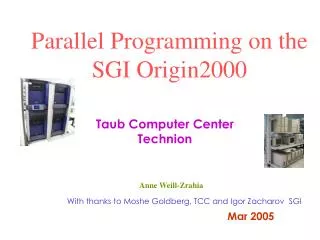
Join Dr. Anne Weill for an in-depth seminar on the Origin2000 lab, focusing on the architecture and key components of the SGI Origin2000 with its unique features designed for scientific computing. The session will cover node boards, interconnect topology, scalability, and memory management, as well as practical aspects like compiling and running code in a distributed environment. Learn about BSP functions, memory access, and optimize your use of this powerful computing system. For more information, contact Dr. Weill at anne@tx.technion.ac.il.


BSP on the Origin2000
E N D
Presentation Transcript
BSP on the Origin2000 Lab for the course: Seminar in Scientific Computing with BSP Dr. Anne Weill – anne@tx.technion.ac.il ,ph:4997
Origin2000 (SGI) 32 processors
Origin2000/3000 architecture features Important hardware and software components: * node board: processors + memory * node interconnect topology and configurations * scalability of the architecture * directory-based cache coherency * single system image components
Origin2000 interconnect 32 processors 64 processors
Origin router interconnect - Router chip has 6 CrayLink interfaces: 2 for connections to nodes (HUBs) and 4 for connections to other routers in the network * 4-dimensional interconnect - Router links are point-to-point connections 17+7 wires @ 400 MHz (that is, wire speed 800 MB/s) - Worm hole routing with static routing table loaded at boot - Router delay is 50 ns in one direction - The interconnect topology is determined by the size of the computer (number of nodes): * direct (back-to-back) connection for 2 nodes (4 cpu) * strongly connected cube up to 32 cpu * hypercube for up to 64 cpu * hypercube of hypercubes for up to 256 cpu
Origin address space - Physically the memory is distributed and not contiguous - Node id is assigned at boot time - Logically memory is a shared single contiguous address space, the virtual address space is 44 bits (16 TB) - A program (compiler) uses the virtual address space - CPU translates from virtual to physical address space 39 32 31 0 node id 8 bits Node offset 32 bits (4 GB) Empty slot page 0 1 2 n Physical k 1 n 0 Memory present 0 1 2 3 .. Node id Virtual TLB TLB – Translation Look-aside Buffer
Login to carmel 1. Open an ssh window to : carmel.technion.ac.il 2. Username : course01-course20 Password : bsp2006 Contact : Dr. Anne Weill – anne@tx.technion.ac.il , phone :4997
Compiling and running codes • Setting path set path=($path /u/tcc/anne/BSP/bin) 2. Compiling %bspcc prog1.c –o prog1 %bspcc –flibrary-level 1 prog1.c –o prog1 (for non-dedicated machine) 3. Running %bsprun –npes 4 prog1
Running on carmel • Interactive mode : % ./prog.exe <parameters> 2. NQE queues: % qsub –q qcourse script.bat
How it works P0 Prog.exe P1 Prog.exe bsprun P2 Prog.exe P3 Prog.exe
SPMD – single program multiple data • Each processor views only its local memory. • Contents of variable X are different in different processors. • Transfer of data can occur in principle through one-sided or two-sided communication.
DRMA- direct remote memory access • All processors must register the space into which remote “read” and “write” will happen • Calls to bsp_put • Calls to bsp_get • Call to bsp_sync – all processors synchronize, all communication is completed after the call
Running on carmel • Interactive mode : % ./prog.exe <parameters> 2. NQE queues: % qsub –q qcourse script.bat
Another example *What does the following program ? • What will the program print ?
Another example * Is there a problem with the following example? • What will the program print ?
Answer • As it is written, the program will not print any output : the data is actually transferred only after the bsp_sync statement • Additional question : what will the program print if bsp_sync is placed right after the put statement? • NB : the programs are in directory /u/tcc/anne/BSPcourse, under prog2.c and prog2wrong.c – try them
Exercise1 (due Nov. 26d 2006) • Copy over to your directory the directory: /u/tcc/anne/BSPcourse. Take a look at the bspedupack.h file. • Write a C program in which each processor writes its pid into an array PIDS(0:p-1) on p0. (PIDS(i)=i). • Run the program for p=1,2,4,8,16 processors and print PIDS. You can run it interactively. • Same with a get instruction.