Download
1 / 8
80 likes | 228 Vues
Understanding file formats, sizes, and DPI in Adobe Photoshop is crucial for creating high-quality media-specific documents. This guide covers key file formats such as PSD, JPG, GIF, PNG, TIFF, and PDF, along with their data compression methods—lossless vs. lossy—and the importance of bit depth. Learn the ideal DPI settings for different purposes (e.g., 300 DPI for print, 72 DPI for screens) and how to effectively use layers and manage color information for optimal results in your graphic design projects.

E N D
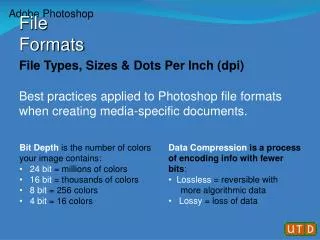
File Types, Sizes & Dots Per Inch (dpi) Best practices applied to Photoshop file formats when creating media-specific documents. Adobe Photoshop File Formats • Data Compression is a process of encoding info with fewer bits: • Lossless = reversible with • more algorithmic data • Lossy= loss of data • Bit Depthis the number of colors your image contains: • 24 bit = millions of colors • 16 bit = thousands of colors • 8 bit = 256 colors • 4 bit = 16 colors
Adobe Photoshop File Formats .psd PhotoShop Document dpi 300 pixels • work large! • work in layers
Adobe Photoshop File Formats .jpg Joint Photographic Expert Group dpi depends on purpose • detail 300 dpi • print >150 dpi • screen 72 dpi • JPG is a "lossy" compression, resulting in data loss.Used for photographs and images with continuous tones and large gradients. Do not save/edit in jpg! Image: From the department of unsourced photographic Internet literalisms
Adobe Photoshop File Formats .gif Graphical Interface Format dpi 72 pixels Animated Static • GIF supports images that are 8-bit (256 colors) or less. Use GIFs for illustrations, clip art, and images without gradients. Image: Watt Curve by Claudio Rocchini
Adobe Photoshop File Formats .png Portable Network Graphics dpi 72 pixels • PNG is an improvement on GIF - with gradients and transparencies in "lossless"format - Designed for RGB color palettes, not print.
Adobe Photoshop File Formats .tiff Tagged Information File Format dpi depends on purpose • Archive >300 dpi • TIFF is an adaptable file format for handling images and data within a single "lossless" file or no compression at all. This format is useful for image archiving - can include header tags and vector-based information.
Adobe Photoshop File Formats .pdf Portable Document Format dpi depends on purpose • highly customizable • PDF is an open standard for document exchange with encapsulated information. PDFs can store a fixed-layout document that includes the text, fonts, images, vector graphics and true graphic transparency.
Adobe Photoshop File Formats - Summary .psdPhotoShop Document .jpg Joint Photographic Expert Group .gif Graphical Interface Format .png Portable Network Graphics .tiff Tagged Information File Format .pdf Portable Document Format • Consider… • Bit Depth • Data Compression • DPI (dots per inch) • Vector graphics