Essential Guide to Nikon D3000: Display, Menu Options, and Release Modes
Discover the key features and functionalities of the Nikon D3000 camera. This guide covers essential aspects such as the information display, various menu options, and controls to get you started. Learn how to select different release modes, including single frame, continuous shooting, self-timer, and delayed remote. Master the viewfinder indicators for shutter speed, aperture, and battery life. Understand how to reset your camera to default settings and effectively modify exposure settings, focus modes, and white balance. Enhance your photography with these insider tips!

Essential Guide to Nikon D3000: Display, Menu Options, and Release Modes
E N D
Presentation Transcript
Nikon d3000 Information Display
Know • Menu options & controls • Release modes • Viewfinder • Default settings • Show • Set a camera to default settings • Select various release modes • Level • Application Objective
Two style options, top is default settings • Displays as soon as camera is turned on. Turn it back on by pushing any button. • Use this screen to check and change settings Status Screens
Battery Indicator Exposure Mode Release Mode Focus Mode Remaining Exposures Shutter Speed Aperture
Press the “i” button and use the D-Pad to modify settings Status Screen
Set to “Fine” and “L” White Balance (WB) set to “Auto” ISO set to “100” or “200” Focus mode set to “AF-A” Leave on Auto (like it is here) Metering set to “Matrix” Exposure Compensation AND Flash Compensation set to “0.0” Default Settings
Erases EVERYTHING! Use AFTER you download your images and verify they are all there. Setup Menu
Release mode is how many times the shutter opens when you push the shutter release button. • The d3000/d5000 (school cameras) have FOUR release modes: single frame, continuous, self timer, delayed remote (2 second delay), and quick response remote. What is Release Mode?
Single frame – one photo is taken each time the shutter release is pressed • Continuous – about 3 frames per second while the shutter release is pressed Release Modes
Self-Timer – Camera takes a photo about 10 second after shutter release is pressed Release Modes
Delayed Remote – Use a remote instead of shutter release. 2 second delay • Quick-response Remote – Takes a picture immediately after remote is used Release Modes
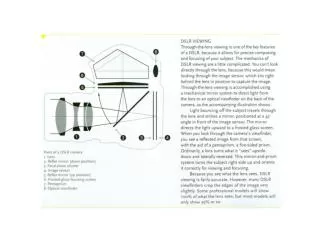
Focus points. Flash red when active. • Focus Indicator – Glows steady when in focus • Auto Exposure Lock – Lights up with AE-L button is pressed Viewfinder
Shutter Speed • Aperture (follows the “f”) • Light Meter • Battery Viewfinder
Shutter Speed • Aperture (follows the “f”) • Light Meter • Battery • Exposures Remaining • Flash Ready Viewfinder