Download
1 / 10
100 likes | 215 Vues
This document summarizes the key points from the 2011 VieVS User Workshop regarding the management of tropospheric delays. It covers the creation and usage of tropospheric parameter files, the selection of appropriate models, and the steps required to process sessions within VieVS using external tropospheric files. Users will learn about the various models available, how to define parameters for all stations, and ensure easy exchangeability with their own data. A practical guide to using the GUI is also provided, including the handling of slant delays and partial derivatives.

E N D
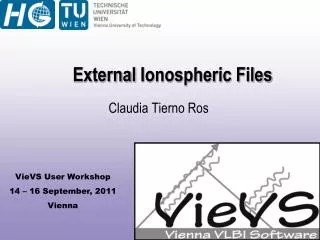
Externaltroposphericfiles in VieVS Matthias Madzak
Externaltroposphericfiles • Troposphericdelays in onetxtfile per session • Different modelsavailable • Easy exchangeability • Useofowndatapossible VieVS User Workshop 2011
Content of .trpfiles Session Date,Time α, ε, p, T Partial derivatives Station Slantdelay VieVS User Workshop 2011
Steps • Troposphericparameterfile • Whatmodelstobeused ? • Externaltroposhericfile (.trp) • Forwhichsession(s) ? • Use in VieVS Processsession(s) VieVS User Workshop 2011
Troposphericparameterfile (1) • Created via GUI • Definesmodelsfor all stations • Run TRP\ PROGRAM\ GUI\ createTropoParameterFilesGUI.m VieVS User Workshop 2011
Troposphericparameterfile (2) • Set troposphericmodelsfor all stations (1 | 0) - Save textfile VieVS User Workshop 2011
Models fortroposphericfiles • Mapping Functions • VMF1 • GMF • Delay • ECMWF (h/w) • Surfacepressure • Global PressureandTemperature • Gradients • LHG • DAO • APG • Partial derivatives • VMF1w • GMFw VieVS User Workshop 2011
Externaltroposphericfiles • Define (just created) parameterfile 2. Select stations 3. Choosesubfolder 4. Click „Create“ \TRP [\subfolder] \*.trp VieVS User Workshop 2011
Note • Session must beprocessedbeforeonce • Read log (Command Window) forinformation VieVS User Workshop 2011
Usefiles in VieVS • GUI vie_mod • Click „External (.trp) file“ • Select subfolder (ifchosen) • Delaysareapplied VieVS User Workshop 2011