Introduction to Microsoft Windows MFC Programming: Application/Window Approach
150 likes | 278 Vues
This document introduces the Microsoft Foundation Class (MFC) library, a hierarchical structure of C++ classes designed to simplify Windows programming as an alternative to Win32 API functions. It outlines key features of MFC, such as reusable code, built-in functionalities for common Windows application tasks, and the requirement for C++ programming with object-oriented principles. It covers MFC classes relevant for application structure, message handling, and basic program creation, providing a foundational understanding for developing Windows applications with MFC.


Introduction to Microsoft Windows MFC Programming: Application/Window Approach
E N D
Presentation Transcript
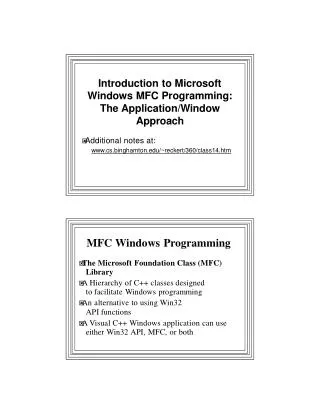
IntroductiontoMicrosoftWindowsMFCProgramming:TheApplication/WindowApproachIntroductiontoMicrosoftWindowsMFCProgramming:TheApplication/WindowApproach �Additionalnotesat: www.cs.binghamton.edu/~reckert/360/class14.htm MFCWindowsProgramming �TheMicrosoftFoundationClass(MFC)Library �AHierarchyofC++classesdesignedtofacilitateWindowsprogramming �AnalternativetousingWin32 APIfunctions �AVisualC++WindowsapplicationcanuseeitherWin32API,MFC,orboth
SomecharacteristicsofMFC �1.Convenienceofreusablecode �2.ManytaskscommontoallWindowsappsareprovidedbyMFC –e.g.,WinMain,theWindowProcedure,andthemessageloopareburiedintheMFCFramework �3.Producesmallerexecutables: –Typically1/3thesizeoftheirAPIcounterparts �4.Canleadtofasterprogramdevelopment: –Butthere'sasteeplearningcurve �5.MFCProgramsmustbewritteninC++andrequiretheuseofclasses –Instantiation,encapsulation,inheritance,polymorphism
HelponMFCClasses �SeeOnlineHelp(Index)on: “MFC”|“classes” “MFCclasses(MFC)” �Clickingonaclass�adocumentwith alinktotheclassmembers �Alsolookat “MFC”|“hierarchy” “hierarchychart” BaseMFCClass �CObject:Attopofhierarchy("MotherofalmostallMFCclasses") �Providesfeatureslike: –Serialization •Streaminganobject’spersistentdatatoorfromastoragemedium(diskreading/writing) –Runtimeclassinformation –Diagnostic&Debuggingsupport –Someimportantmacros �Allitsfunctionalityisinheritedbyanyclassesderivedfromit
SomeImportantDerivedClasses �CFile:Supportforfileoperations �CDC:Encapsulatesthedevicecontext (GraphicalDrawing) �CGdiObject:Baseclassforvariousdrawingobjects(CBrush,CPen,CFont,etc.) �CMenu:Encapsulatesmenusand menumanagement �CCmdTarget:Encapsulatesmessagepassingprocessandisparentof: –CWnd:Baseclassfromwhichallwindowsarederived –Encapsulatesmanyimportantwindowsfunctionsanddatamembers –Examples: •m_hWndstoresthewindow’shandle •Create(…)createsawindow –Mostcommonsubclasses: •CFrameWindow:Cancontainotherwindows –("normal"kindofwindowwe'veused) •CView:Encapsulatesprocessofdisplayingandinteractingwith datainawindow •CDialog:Encapsulatesdialogboxes
�CCmdTargetalsotheparentof: –CWinThread:Definesathreadofexecution –m_pMainWndisamemberofthisclass •Apointertoanapplication’smainwindow –Istheparentof: •CWinApp:MostimportantclassdealtwithinMFCapplications: •EncapsulatesanMFCapplication •ControlsfollowingaspectsofWindowsprograms: –Startup,initialization,execution,themessageloop,shutdown –AnapplicationshouldhaveexactlyoneCWinAppobject –Wheninstantiated,applicationbeginstorun –MemberfunctionInitInstance()iscalledbyWinMain() •m_nCmdShowisamemberofthisclass –CDocument •Encapsulatesthedataassociatedwithaprogram MFCClassesandFunctions �PrimarytaskinwritingMFCprogram--tocreateclasses �MostwillbederivedfromMFClibraryclasses �EncapsulateMFCClassMemberFunctions-- –MostfunctionscalledbyanapplicationwillbemembersofanMFCclass �Examples: –ShowWindow()--amemberofCWndclass –TextOut()--amemberofCDCclass –LoadBitmap()--amemberofCBitmapclass
�ApplicationscanalsocallAPI functionsdirectly –UseGlobalScopeResolutionOperator(::),for example: –::UpdateWindow(hWnd); �UsuallymoreconvenienttouseMFC memberfunctions MFCGlobalFunctions �NotmembersofanyMFCclass �BeginwithAfxprefix(Application FrameworKS) �IndependentoforspanMFCclasshierarchy �Example: –AfxMessageBox() •Messageboxesarepredefinedwindows •Canbeactivatedindependentlyfromtherestofanapplication •Goodfordebugging
SomeImportantGlobalFunctions �AfxAbort()--Unconditionallyterminateanapp �AfxBeginThread()--Create&runanewthread �AfxGetMainWnd()--Returnsapointertoapplication’smainwindow �AfxGetInstanceHandle()--Returnshandletoapplications’scurrentinstance �AfxRegisterWndClass()--Registeracustom WNDCLASSforanMFCapp AMinimalMFCProgram (App/WindowApproach) �SimplestMFCprogramsmustcontaintwoclassesderivedfromthehierarchy: –1.AnapplicationclassderivedfromCWinApp •Definestheapplication •providesthemessageloop –2.Awindowclassusuallyderivedfrom CWndorCFrameWnd •Definestheapplication'smainwindow �Tousethese&otherMFCclassesyoumusthave: #include<Afxwin.h>inthe.cppfile
MessageProcessingunderMFC �LikeAPIprograms,MFCprogramsmusthandle messagesfromWindows �APImechanism:switch/casestatementinapp’s WndProc() �InMFC,WndProc()isburiedintheMFClibrary �Messagehandlingmechanism:“MessageMaps" –lookuptablestheMFCWndProc()searches �Tableentries: –Messagenumber –Pointertoamessage-processingfunction •ThesefunctionsaremembersofCWnd •Weoverride/extendtheoneswewantourprogramtorespondto •Likevirtualfunctions MessageMapping �Programsmust: –Declaremessage-processing(handler)functions •e.g.,OnWhatever()forWM_WHATEVERmessage –Mapthemtomessagesprogramisgoingtorespondto •Mappingisdoneby"message-mappingmacros” –Bindamessagetoahandlerfunction –e.g.,ON_WM_WHATEVER()
STEPSINWRITINGA SIMPLEMFCPROGRAM (App/WindowApproach)
DECLARATION(.h) 1.DeclareaclassderivedfromCWndor CFrameWnd(e.g.,CMainWin)-- �ClassMembers: –Theconstructordeclaration –Message-processingfunctiondeclarationsformessagestheapplicationwilloverrideandrespondto •e.g.,voidOnChar(…) –DECLARE_MESSAGE_MAP()macro: •Allowswindowsbasedonthisclasstorespondtomessages •Declaresthatamessagemapwillbeusedtomapmessagestohandlerfunctionsdefinedintheapplication •Shouldbelastclassmemberdeclared 2.Declareanapplicationclassderivedfrom CWinApp(e.g.,CApp)-- �Mustoverride/extendCWinApp'sInitInstance() virtualfunction: –Calledeachtimeanewinstanceofapplicationisstarted •i.e.,whenanobjectofthisapplicationclassisinstantiated –Purposeisforapplicationtoinitializeitself –Goodplacetoputcodethatdoesstuffthathastobedoneeachtimeprogramstarts
IMPLEMENTATION(.CPP) 1.Defineconstructorforclassderivedfrom CFrameWnd(e.g.,ourCMainWin) �ShouldcallmemberfunctionCreate()tocreatethewindow –DoeswhatCreateWindow()doesinAPI 2.Definemessagemapforclassderivedfrom CFrameWnd(e.g.,ourCMainWin)-- BEGIN_MESSAGE_MAP(ownerclass,baseclass) //Listof“message-mappingmacros”,e.g. ON_WM_CHAR() END_MESSAGE_MAP() 3.Define(implement)message-processingfunctionsdeclaredin.hfiledeclarationsabove 4.Define(implement)InitInstance()overridingfunction-- �DoneinclassderivedfromCWinApp…ourCApp: –Shouldhaveinitializationcode: •InstantiateaCMainWinobjectwhoseconstructorwillcreatethewindow�pointertoprogram'smainwindowobject –m_pMainWnd –(Usedtorefertothewindow,likehWndinAPIprograms) •Invokeobject'sShowWindow()memberfunction •Invokeobject'sUpdateWindow()memberfunction •Mustreturnnon-zerotoindicatesuccess –[MFC'simplementationofWinMain()callsthisfunction]
�Nownature&formofsimplewindow& applicationhavebeendefined �Butneitherexists-- �MustinstantiateanapplicationobjectderivedfromCWinApp…ourCApp 5.Instantiatetheappclass(e.g.,ourCApp) �CausesAfxWinMain()toexecute –It'snowpartofMFC[WINMAIN.CPP] �AfxWinMain()doesthefollowing: –1.CallsAfxWinInit()-- •whichcallsAfxRegisterClass()toregisterwindowclass –2.CallsCApp::InitInstance()[virtualfunctionoverriddenin4above]-- •whichcreates,shows,andupdatesthewindow –3.CallsCWinApp::Run()[InTHRDCORE.CPP]-- •whichcallsCWinThread::PumpMessage()-- •whichcontainstheGetMessage()loop
�AfterCWinApp::Run()returns: –(i.e.,whentheWM_QUITmessageisreceived) –AfxWinTerm()iscalled-- –whichcleansupandexits MSGNEWExampleMFCApplication:Mouse/CharacterMessageProcessing �Userpressesmousebutton� –“L”or“R”displayedatcurrentmousecursorposition �Keyboardkeypressed� –Characterdisplayedatupperlefthandcornerofclientarea
�Messagemapcontains: –ON_WM_CHAR() –ON_WM_LBUTTONDOWN() –ON_WM_RBUTTONDOWN() �Torespondtomessages: –WM_CHAR –WM_LBUTTONDOWN –WM_RBUTTONDOWN �Soweneedtodefinethefollowinghandlerfunctionoverrides: –CWnd::OnChar(UINTch,UINTcount,UINTflags); –CWnd::OnLButtonDown(UINTflags,CPointloc); –CWnd::OnRButtonDown(UINTflags,CPointloc); �IneachhandlerweneedtogetaDeviceContexttodrawon: CDC*pDC •DeclareapointertoaCDCobject pDC=this->GetDC(); •UseGetDC()memberfunctionof‘this’CWndtogetadevice contexttodrawon �AndthendisplayastringusingTextOut() –Ifit’sacharacter,itmustbeformattedintoastringfirst –Canusewsprintf() •Formatsintegers,characters,andotherdatatypesintoastring
StepsinCreatingandBuildinganMFC Applicationlikemsgnew“manually” 1.“File”|“New”|“Project” –SpecifyanemptyWin32projectasinpreviousexamples 2.“Project”|“AddNewItem” –Categories:“VisualC++”|“Code” –Templates:“C++File” –Enterorcopy/paste.cppfiletext(e.g.,msgnew.CPP)--see IMPLEMENTATIONabove 3.“Project”|“AddNewItem”|“VisualC++”|“code”|“HeaderFile” –Enterorcopy/paste.hfiletext(e.g.,msgnew.h)--seeDECLARATION above 4.WithprojectnamehighlightedinSolutionExplorerwindow,“Project”|“Properties”|“ConfigurationProperties”|“General” –From“UseofMFC”,choose: –"UseMFCinaSharedDLL" 5.Buildtheprojectasusual