Visualizing the B-Raf V599E Protein Structure in RCSB PDB
90 likes | 204 Vues
Discover how to access and visualize the B-Raf V599E protein structure (PDB ID: 1UWJ) using the RCSB Protein Data Bank. Follow step-by-step instructions to manipulate the 3D structure view using the provided command line features. Learn to navigate the visualization tools by selecting "ribbons" and "sticks" to view the molecular structure in different styles and color schemes. Enhance your understanding of protein structures through interactive analysis and mouse controls for rotation, zooming, and other manipulations.


Visualizing the B-Raf V599E Protein Structure in RCSB PDB
E N D
Presentation Transcript
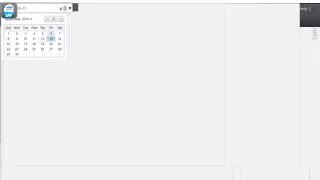
PROTEIN DATA BANK ADDRESS http://pdbbeta.rcsb.org
enter COMMANDS FOR PROCESSING STRUCTURE 1UWJ From drop-down display on tool bar choose “ribbons”, then from colors choose “structure” From drop-down display on tool bar choose “sticks”, then from colors choose “CPK” From drop-down display on tool bar choose “sticks”, then from colors choose “CPK” From drop-down colors on tool bar choose “chain”
MOUSE CONTROLS Left click: rotate around x, y axes Right click: x, y displacement of entire structure ^ left click: zoom, move mouse north-magnify; move mouse south, reduce ^ right click: rotate structure around center of unit cell on axis perpendicular to screen