Enhancing K-12 Computer Science Education: Early Programming and Demystification Strategies
260 likes | 374 Vues
This talk explores effective strategies for teaching computer science from K-12, emphasizing the importance of introducing programming concepts early to combat stereotypes and ignite interest. We discuss the need for demystifying computers, addressing low enrollment and minority representation issues, and creating engaging materials for educators and parents. Our approach includes practical case studies, such as teaching programming through projects like creating Game Boy Advance games. We aim to equip students with essential skills and confidence in computing while fostering a growth mindset toward technology.


Enhancing K-12 Computer Science Education: Early Programming and Demystification Strategies
E N D
Presentation Transcript
Teaching Computer Science from K through 12 Gary Kacmarcik Google, Inc. (garykac@google.com) Sylvie Giral Kacmarcik Whole Earth Montessori School, Bothell, WA (french@wholeearthmontessori.org)
Motivation & Background • “How can we best teach programming?” • Desire to teach our own kids, their friends, … • Teaching experience • From University to pre-K • Teaching K-7 for past 6 years • Programming (5th – 8th) for past year • Google K-12 intergrouplet • “bottom-up” self organized group; 20% time
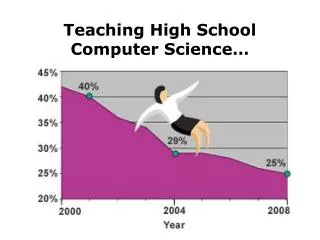
Why does Google care? • Low enrollment in Computer Science • Low minority representation • Concern about entire education pipeline: • High School → BS → MS/PhD
Filling the Pipeline • Working backwards: • To graduate more MS/PhDs, you need more students entering the BS programs • To get more students entering the BS programs, you need to spark interest in HS • Focusing on HS seems obvious • But...
Problems with starting in HS • Inconsistent skill set • Huge disparity between students • WRT computer literacy • Unlike Math, English, Science, ... • Stereotypes already established • Peer pressure • “You’re not supposed to be interested in ...” • Typically happens around/before 8th grade
Finally! The Topic for this Talk • High School is too late to be starting • (OK, it’s never really too late, but it would be much easier if we started earlier) • HS should be nurturing and developing seeds that were planted earlier. • We shouldn’t have to undo stereotypes • We should strive to avoid them in the first place
A Brief Diversion • Before we talk about goals, a slight aside: • How does a phone work? • How does a toilet work? • How does a car work? • Internal combustion engine • We can explain how these devices work in general, accessible terms • Concrete, physical explanation
A Brief Diversion (cont.) • Now, how do computers work? • Many explanations go something like: • Mumbling something about ‘0’s and ‘1’s • Talk about memory, CPU, ALU • These aren’t wrong, but they aren’t concrete • Not accessible to many students • They don’t walk away with a real understanding
A Brief Diversion (cont.) • “Any sufficiently advanced technology is indistinguishable from magic” • Arthur C. Clarke, 1973 • Kids are growing up in this magical world • That’s good and bad • If we don’t give them the tools they need they won’t be able to contribute effectively
Goals for Teaching Computer Science in K-12 • Three goals: • Demystify computers for students in general • Encourage students to learn programming • Spark interest in computer science • Provide tools for parents/educators
Goals for Teaching Computer Science in K-12 • First two goals are related: • Introduce programming and demystify computers early enough so that: • We don’t have to fight social issues • We’re more likely to ignite that spark of interest • Last goal can be broken into 2 sub-goals • Create ready-to-use materials • Formalize the teaching of computer skills • What students should know at each grade level
What / When to teach • What we can/should teach in HS depends on what we’ve taught in earlier grades • What set of skills do you wish your HS students already had? • How early can we teach these skills?
When to introduce programming • We should start teaching programming: • After the ability to think abstractly • Before stereotypes/societal influences • Roughly between 6th to 8th grade • Some students are ready in 5th grade • Note: We don’t expect students to master programming at this age • Introduce, gain confidence, spark interest
Case Study • Teaching programming to 5th-8th graders: • Using a computer engineering approach • Work from bottom-up • Start with electricity, work up to programming • Class running for over a year • At a local Montessori school (Bothell, WA) • Each student has a project • Create a Gameboy Advance (GBA) game
Case Study • Class goals: • Teach how computers work • Demystify the inner workings • Teach programming • Learn that the programmer is in control • Teach project management • Break complex ideas down into subtasks • Stretch goal: • Get students to program outside of class
General Overview of Class • Number systems: binary, hexadecimal • Electricity, voltage • Transistors, gates • Boolean logic • Hardware: LEDs, 4000-series CMOS • Memory, address decoders • Storing things in memory (images, text) • CPU: registers, instructions • Programming: • Compiler, handling errors • Variables, control flow, ... • Programming tasks/tutorials
Why GBA Programming • Use games to introduce programming • Motivation is key to learning to program • GBA programming motivates from K through University • Real programming language: C/C++ • Students can create entire project • 2-D project • Easily create their own art assets: http://code.google.com/p/spritely • Ownership of the project; sense of accomplishment • Easier to make link down to hardware • No operating system, virtual machine • Can link from transistors, memory, CPU, assembly language to the students program
Alternate approaches • Alice (CMU - Free) • E.g., program the movement of an ice skater • Make a short movie, tell a short story • KPL (now Phrogram - $) • “Kids Programming Language” • and others...
Contrasts with our approach • These other approaches typically: • Run in a limited “sandbox” environment • Very object-oriented • Focus on drag-n-drop instead of typing • Avoids problems with typos and syntax errors • Use pre-generated graphics • Don’t have to create their own art assets • Can use professionally-made graphics • and sometimes: • Provide a 3-D virtual world
Which approach is “better”? • They each have pros/cons • Students will prefer one over the other • Our approach is motivated by a desire to: • Connect programming & hardware • Give a real world programming experience • But it suffers from: • Requiring text programming/compiling • More limited debugging facilities • We’re trying to build a strong foundation • Expect students to take other programming classes • Java, C#, C++, …
General Comments on Class • Disparity in computer skill set • Small, but noticeable even at this age • Many of these skills can be taught earlier • E.g., number systems, boolean logic • Most of the steps before programming can be made concrete • But time must be spent creating materials
When to introduce programming • Previously, we said between 6-8th grade • But we can lay the foundations earlier: • General computer skills (≤ K) • Boolean logic & flow charts (2nd) • Alternate number systems (3rd-4th) • Electricity/Transistors (4th-5th)
Summary • Need to introduce programming before HS • Around 6-8 grade • Need to introduce computer skills • Throughout Elementary School • Basic skills and pre-programming skills • Need guidelines for what to teach • Identify skills for each grade level
What about High School? • Materials for Middle School can be used • HS students can teach MS students • In Montessori environment, common for older students to teach younger ones • Caution: Don’t introduce stereotypes! • “Girls computer class” may be OK in HS • But it’s not OK in MS • Important to have mixed classes at this age to break down stereotypes
Google K-12 Teacher Focus Group • Invite middle and high-school teachers • Review early progress of material development • Provide comments/feedback • Discuss requirements • Tentatively scheduled for 21 August 2008 • Location: Google’s Fremont office • Limited space • Contact us if you’d like to be involved • Gary Kacmarcik (garykac@google.com) • Jessica Einfeld (jessicae@google.com)