Enhancing Visualization Testing in Geant4 with XVFB Setup
This guide outlines how to improve visualization testing in Geant4 by utilizing the XVFB library for frame buffer rendering. Users are advised to set the `XVFB_EXECUTABLE` during the CMake configuration process to streamline graphics output. Replace the existing visualization opening command "/vis/open.OGL" with "/vis/open.OL" and utilize `./vis/ogl/printEPS` for exporting images in your macros. Additionally, integrate the Xvfb configuration in `CMakeList.txt` to run tests effectively, ensuring generated visuals are compared against reference files for validation.

Enhancing Visualization Testing in Geant4 with XVFB Setup
E N D
Presentation Transcript
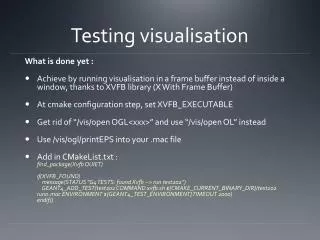
Testing visualisation What is done yet : • Achieve by running visualisation in a frame buffer instead of inside a window, thanks to XVFB library (X With Frame Buffer) • At cmake configuration step, set XVFB_EXECUTABLE • Get rid of “/vis/open OGL<xxx>” and use “/vis/open OL” instead • Use /vis/ogl/printEPS into your .mac file • Add in CMakeList.txt :find_package(Xvfb QUIET)if(XVFB_FOUND) message(STATUS "G4 TESTS: found Xvfb --> run test202”) GEANT4_ADD_TEST(test202 COMMAND xvfb.sh ${CMAKE_CURRENT_BINARY_DIR}/test202 run0.mac ENVIRONMENT ${GEANT4_TEST_ENVIRONMENT} TIMEOUT 2000) endif()
Testing visualisation What is to do : • Compare generated pictures against a reference file folder