Download
1 / 9
90 likes | 249 Vues
Explore the functionality and components of multimedia adapter cards, including sound cards and video cards. This chapter covers essential concepts such as the roles of DACs, the four basic parts of a sound card, and different types of multimedia adapter cards like TV and radio tuners. Learn how sound cards convert analog signals to digital formats and how video cards manage pixel data and sync audio and video. Discover the various features of these cards, including RAM usage and integration with motherboards.

E N D
Multimedia Adapter Cards Chapter 10 Lowell Bass
Questions • What does a DAC do? • What are the four basic parts of a Sound card? • List three types of Multimedia Adapter cards. • Name the parts of a Video card. • True or False. A multimedia adapter card often has its own RAM.
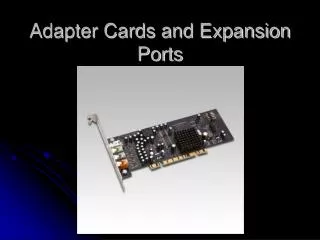
Multimedia Adapter Cards Overview • These types of cards produce the visual, audio as well as the other effects that are produced • by your computer • Examples: • Sound Card • Video Card • TV tuner • Radio tuner
Sound cards • A sound card must convert analog sound into binary code and • vice versa • Four basic components on a sound card • Analog to digital converter • Digital to analog converter • Interface with computer(PCI for example) • I/O ports • Codec can be used in of place ADA and DAC
More on Sound Cards • Not all motherboards have sound cards • Many laptops, for example have integrated sound • Sound cards generally sound better and than integrated sound • External Sound Cards available
Video Cards • A VideoCard organizes the data given to into an array of pixels • This type of card has a processor memory and even a bios because of the complexity of its job • These cards also have a DAC connected directly to the RAM (RAMDAC)
Other Cards • TV Tuners allow the user to record and play TV signals • These cards convert the signal into audio and video for the computer to display • They also insure audio and video is sycnhronized • Types of TV tuners include • Analog TV Tuners • Digital TV Tuners • Hybrid TV Tuners • Combination TV Tuners • Radio tuners also exist
Common Features • Multi-media adapter cards usually have RAM on the card • All require an interface with the motherboard • With exception, external versions and versions integrated with the motherboard exist • Many have Digital to Analog converters and Analog to Digital converters
Sources • http://computer.howstuffworks.com/sound-card.htm • http://computer.howstuffworks.com/graphics-card.htm • PowerPoint Chapter 10 • http://www.pcworld.com/article/118799/article.html?page=4 • http://www.ehow.com/how-does_4968644_tv-tuner-cards-work.html • http://www.ehow.com/how-does_4596852_tv-tuner-card-work.html