SlideServe
Menu
Préférences
© SlideServe · v2026

File Transfer Protocol (FTP)

kamella avatar
7 diapositives · 1.5K Views · Aug 14, 2012

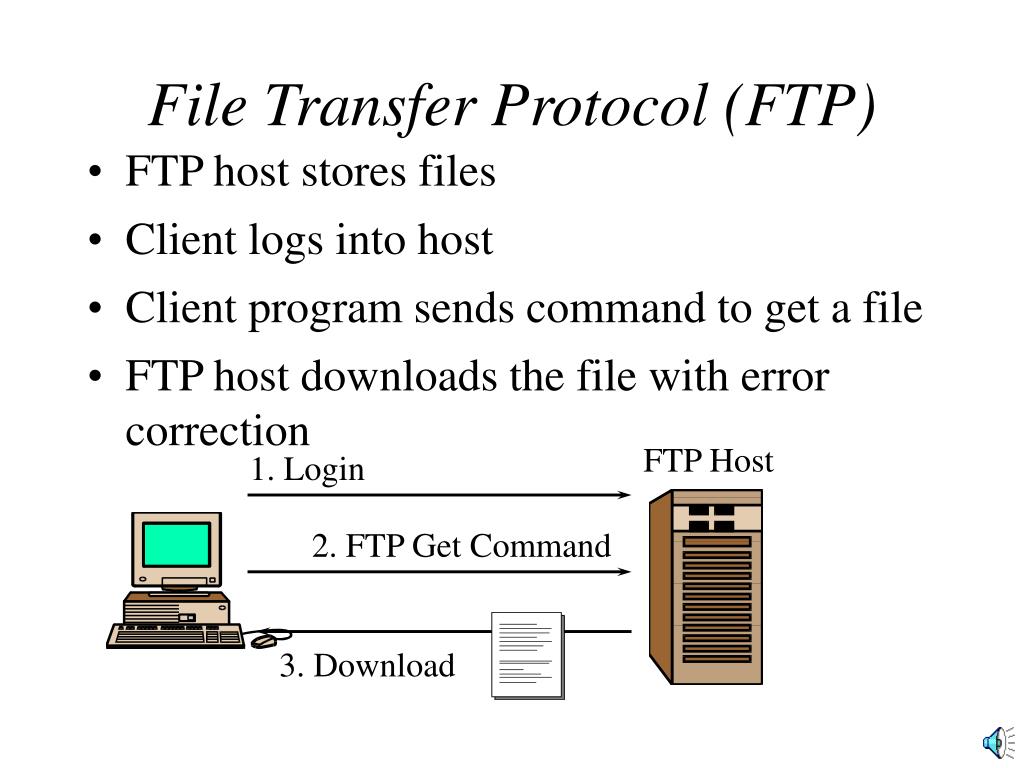
File Transfer Protocol (FTP). FTP host stores files Client logs into host Client program sends command to get a file FTP host downloads the file with error correction. FTP Host. 1. Login. 2. FTP Get Command. 3. Download. File Transfer Protocol (FTP).
File Transfer Protocol (FTP) - slide 1
01 / 7File Transfer Protocol (FTP)
1 / 17

Télécharger la présentation

File Transfer Protocol (FTP)
Une image / un lien ci-dessous est fourni (tel quel) pour télécharger la présentation

Politique de téléchargement : le contenu du site vous est fourni TEL QUEL pour votre information et votre usage personnel ; il ne peut être vendu, concédé sous licence ni partagé sur d’autres sites sans l’accord de son auteur.Le contenu vous est fourni TEL QUEL, pour votre information et votre usage personnel uniquement. Téléchargez la présentation en cliquant sur ce lien. Lors du téléchargement, si vous ne parvenez pas à télécharger une présentation, l’éditeur a peut-être supprimé le fichier de son serveur.Pendant le téléchargement, si vous ne parvenez pas à obtenir une présentation, le fichier a peut-être été supprimé par l’éditeur.

F I N

Plus de contenu associé

Transcription de la présentation
  1. File Transfer Protocol (FTP) • FTP host stores files • Client logs into host • Client program sends command to get a file • FTP host downloads the file with error correction FTP Host 1. Login 2. FTP Get Command 3. Download

  2. File Transfer Protocol (FTP) • User can also upload a file to the FTP Server • WWW cannot do this FTP Host 1. Login 2. FTP Upload

  3. File Transfer Protocol (FTP) • Must Log into FTP Host Before Transfers • Traditional FTP • You log into a specific account with a password • You can transfer to and from directories accessible to that account • Anonymous FTP • You log in as “anonymous” • Give your e-mail address as password (usually optional) • Host gives you access to public directories • Usually for downloading only • Not truly anonymous: your internet address is known

  4. FTP File Format Standards • There are no standards for FTP file formats • Nothing like HTML • No limit on generality • No help in handling after downloads • You must know the file structure of the file you download • You must have an application program that can read that file format

  5. FTP Archiving • Many FTP files are archived • Two-step process • First, several files are combined into one archive to avoid having to make multiple downloads • Second, the combined files are compressed to reduce download times 1. Combine 2. Compress

  6. FTP Archiving • Receiver must dearchive the files to read them • Unfortunately, many archiving standards • Zip is the most common • UNIX users tend to use others (tar) • Some dearchiving programs handle only one archiving standards, others several Dearchive

  7. FTP Archiving • Receiver must dearchive the files to read them • Self-Dearchiving Files • Usually, you need a dearchiving program to dearchive • However, some archives have the extension .exe • Really programs; Dearchive themselves • Executing the archive file dearchives its files • These are programs, so be wary of viruses! Dearchive