Download
1 / 11
130 likes | 275 Vues
In this engaging project, students will research six of the 13 colonies using online resources and produce informative documents. They will utilize MS Word to compile key information—including the colony's founding date, purpose, founders, and an interesting fact—while ensuring to write in complete sentences. Each student will then create a visual representation in MS Paint, incorporating the colony's details. The final product will be integrated into a Word document, showcasing their learning and digital skills, aligned with the Massachusetts Technology Literacy Standards.

E N D
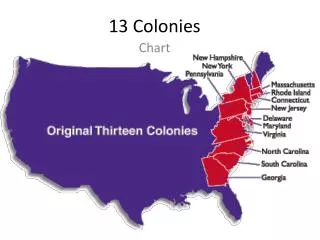
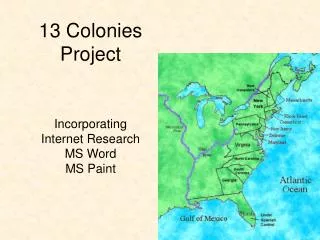
13 ColoniesProject Incorporating Internet Research MS Word MS Paint
Students read and research ~6 out of the 13 colonies. Students multitask with MS Word to keyboard the following information for each colony as they read: ~When was it founded?~Why was it established?~Who helped establish it?~One interesting fact about the colony. Each of the above require complete sentences http://www.timepage.org/spl/13colony.html
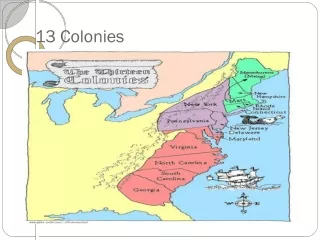
MS Word Requirements • Students save document to their username on server • Students insert a header • Students self-select font, size and color • Students turn on Draw Toolbar and Insert a WordArt title: 13 Colonies • Students view Text Wrap function (Doggie) ex. 13 Colonies
Paragraph • Students self-select one colony they have researched • Using complete sentences: students write a paragraph overview for their colony, incorporating: Who, When, Why, Fact 1, Fact 2 • Students include a WordArt title and a header
MS Paint (Students practice with MSPaint tools, colors & features) • Students illustrate the colony they have written the paragraph about. (save to server) • Paint MUST include: • The colony name • Who founded the colony • Why it was established • The date it was established
Final Product • Insert MS Paint Colony document into MS Word paragraph document (under writing) • MS Word has a WordArt title (colony name) • MS Word has a header (name and team) • Final product fits one page (print preview) • Select printer
Final Product
Massachusetts Department of Education Technology Literacy Standards covered in this project • Standard 1. Demonstrate proficiency in the use of computers and applications, as well as an understanding of the concepts underlying hardware, software, and connectivity. • Basic Operations • G3-5: 1.1 Demonstrate basic steps in using available hardware and applications (e.g., log into a computer, connect/disconnect peripherals, upload files from peripherals). • G3-5: 1.2 Select a printer, use print preview, and print a document with the appropriate page setup and orientation. • G3-5: 1.3 Use various operating system features (e.g., open more than one application/program, work with menus, use the taskbar/dock). • G3-5: 1.4 Demonstrate intermediate1 keyboarding skills and proper2 keyboarding techniques. • Word Processing/Desktop Publishing • G3-5: 1.5 Use menu/tool bar functions in a word processing program (i.e., font size/style, line spacing, margins) to format, edit, and print a document. • G3-5: 1.6 Copy and paste text and images within a document, as well as from one document to another. • G3-5: 1.7 Proofread and edit writing using appropriate resources (e.g., dictionary, spell-checker, grammar resources).
Massachusetts Department of Education Technology Literacy Standards covered in this project Continued…. • Standard 1. Demonstrate proficiency in the use of computers and applications, as well as an understanding of the concepts underlying hardware, software, and connectivity. • Internet, Networking, and Online Communication • G3-5: 1.14 Explain and use age-appropriate online tools and resources (e.g., tutorial, assessment, Web browser). • G3-5: 1.15 Save, retrieve, and delete electronic files on a hard drive or school network. • G3-5: 1.17 Identify and use terms related to the Internet (e.g., Web browser, URL, keyword, World Wide Web, search engine, links). • Multimedia and Presentation Tools • G3-5: 1.21 Copy and paste or import graphics; • G3-5: 1.22 Use painting and drawing applications to create and edit work.
Massachusetts Department of Education Technology Literacy Standards covered in this project continued… • Standard 3. Demonstrate the ability to use technology for research, critical thinking, problem solving, decision making, communication, collaboration, creativity, and innovation. • Research • G3-5: 3.1 Locate, download, and organize content from digital media collections for specific purposes • G3-5: 3.3 Evaluate Internet resources in terms of their usefulness for research. • Communication • G3-5: 3.8 Create projects that use text and various forms of graphics, audio, and video (with proper citations) to communicate ideas.