How to Raise a Requisition in Procurement System
This guide provides a step-by-step process for raising a requisition in the procurement system. Begin by entering the supplier ID or searching under the supplier's name. Next, if available, input the supplier work order number or search accordingly. You can also look for the product code using keywords. Enter the desired quantity and, if necessary, modify the product description and price. To add more items to the order, click on the next row. After filling in all details, click on 'Save' to complete the requisition. Note that you can change the work order number for additional items.

How to Raise a Requisition in Procurement System
E N D
Presentation Transcript
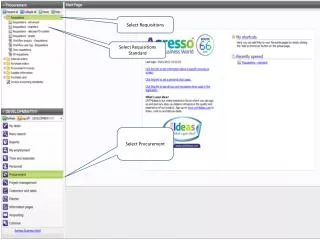
Select Requisitions Select Requisitions Standard Select Procurement
Enter Quantity Product description can be overwritten if necessary Enter Price Click on next row to add additional items to order Enter any additional information
Once information is complete click on Save to raise requisition Work Order number can be changed on any additional rows