Essential Java String Shortcuts and Methods in NetBeans IDE
This guide presents useful Java string shortcuts and operations for the NetBeans IDE, introduced by Dr. Ahmet Sayar of Kocaeli University during the Fall 2013 course. Key shortcuts include generating quick snippets like `sout` for `System.out.println` and `fori` for loop initialization. It explains string manipulations such as conversion between integers and strings, using escape characters, and string concatenation. Learn efficient methods for searching, matching, and modifying strings, crucial for any Java programmer.

Essential Java String Shortcuts and Methods in NetBeans IDE
E N D
Presentation Transcript
STRINGS Computer Engineering Department Java Course Asst. Prof. Dr. AhmetSayar Kocaeli University - Fall 2013
Usefu Shortcuts for Netbeans IDE • sout+Tab: shortcut for System.out.println(“”); • fori+Tab • trycatch+Tab • iff+Tab • ifelse+Tab • forv+Tab • dowhile+Tab • psvm+Tab
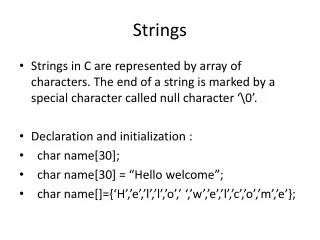
Strings • Strings are essentially arrays of characters • The string class provides many functions for manipulating strings • Searching/matching operations • Replacing characters • Finding characters • Trimming whitespace • Etc.
Some more useful codesConversion by method • intto String: • String five = 5; // ERROR! • String five = Integer.toString(5); • String five = “” + 5; // five = “5” • String to int: • intfoo = “18”; // ERROR! • intfoo = Integer.parseInt (“18”);
Strings are Arrays • A position is referred to an index. • The ‘f’ in “Java is fun.” is at index 8. • String str = "testString"; • char[] charArray = str.toCharArray();
Strings • No methods allow you to change the value of a String object. • But you can change the value of a String variable. value ofpause String pause = “ Hmm “; Hmm pause = pause.trim() Hmm pause = pause + “mmm!”; Hmmmmm! pause = “Ahhh”; Ahhh
Escape Characters • Each escape sequence is a single character even though it is written with two symbols.
Examples System.out.println(“abc\\def”); abc\def System.out.println(“new\nline”); new line char singleQuote = ‘\’’; System.out.println(singleQuote); ‘ String word1=“A”, word2=“B”, word3=“C”, System.out.println("\""+word1 +"\"" +”\n” + word2+ "\t" + word3); //How about using single quatationmark ‘\n’ ?
String Concatenation (+) • String text = "hello" + " world"; • text = text + " number " + 5; • Commenting: • // text = "hello world number 5“; • /* text = "hello world number 5“ */
Using ==, cont. • To test the equality of objects of class String, use method equals. s1.equals(s2) or s2.equals(s1) • To test for equality ignoring case, use method equalsIgnoreCase. (“Hello”.equalsIgnoreCase(“hello”))
Screen Output • System.out.print(“aaa”) • System.out.println(“bbb”) • The concatenation operator (+) is useful when everything does not fit on one line. System.out.println(“When everything “ + “does not fit on one line, use the” + “ concatenation operator (\’+\’)”); • Alternatively, use print() System.out.print(“When everything “); System.out.print(“does not fit on “); System.out.print(“one line, use the “); System.out.print(“\”print\” ”); System.out.println(“statement”); ending with aprintln().
Arguments for the Method main, cont. • Alternatively, an array of String values can be provided in the command line. • example java TestProgram Mary Lou • args[0]is set to“Mary” • args[1]is set to“Lou” System.out.println(“Hello “ + args[0] + “ “ + args[1]); printsHello Mary Lou.