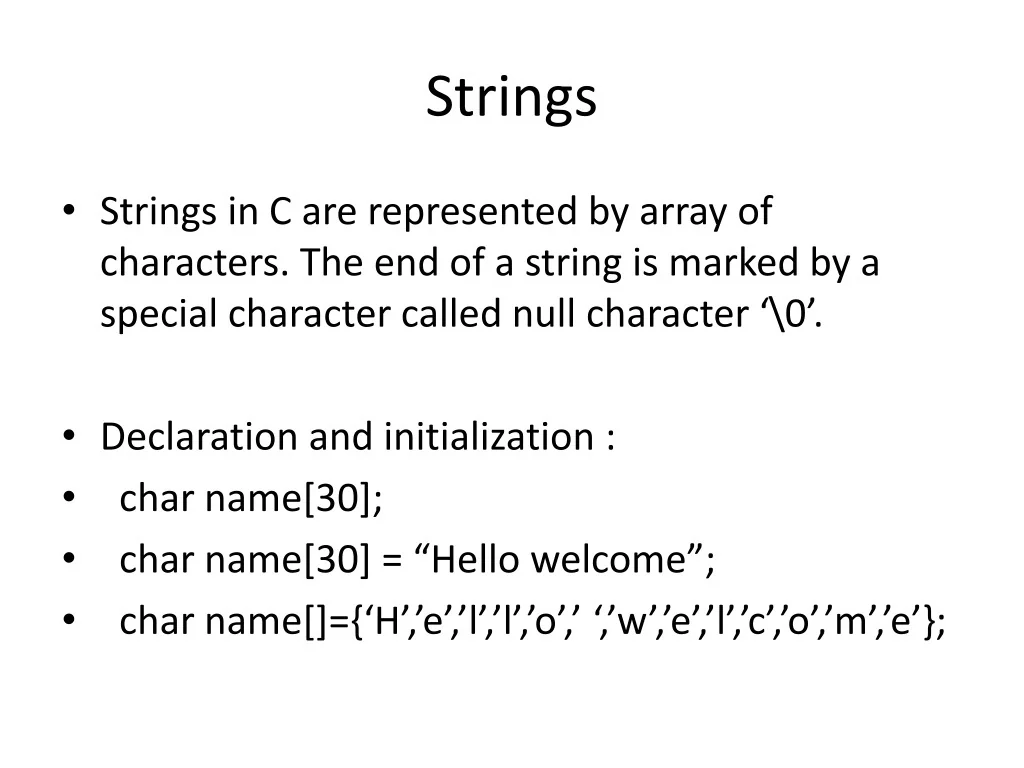
Strings • Strings in C are represented by array of characters. The end of a string is marked by a special character called null character ‘\0’. • Declaration and initialization : • char name[30]; • char name[30] = “Hello welcome”; • char name[]={‘H’,’e’,’l’,’l’,’o’,’ ‘,’w’,’e’,’l’,’c’,’o’,’m’,’e’};
Strings • Reading string from keyboard : char name[30]; scanf(“%s”,name); gets(name);
Strings • Printing string : char name[30]; printf(“%s”,name); puts(name);
String handling library functions • strlen(name); finds the length of string. • strcpy(s1,s2); copy s2 to s1; • strcat(s1,s2); concatenate s1&s2 (s1=s1+s2) • strcmp(s1,s2); compares s1 & s2 (0 if equal, else non zero number). • Strrev(s) – it revers the given string
Find Length using strlen function #include<stdio.h> #include<conio.h> #include<string.h> void main() { char s[30]; int l; printf("Enter string\n"); gets(s); l=strlen(s); printf("length=%d",l); getch(); }
Find Length using user defined function int strlength(char []); void main() { char s[30]; int l; printf("Enter string\n"); gets(s); l=strlength(s); printf("length=%d",l); getch(); } int strlength(char c[]) { int i; for(i=0;c[i]!='\0';i++) { } return i; }
Compare two strings void main() { char s[30],t[30]; clrscr(); printf("Enter string\n"); gets(s); printf("Enter another string\n"); gets(t); if(strcmp(s,t)==0) { printf("\n Strings are same"); } else { printf("\n Strings are not same"); } getch(); }
Compare two strings without in-built fn while( s[i] == t[i] ) { if( s[i] == '\0' || t[i] == '\0' ) break; i++; } if( s[i] == '\0' && t[i] == '\0' ) printf("\n Strings are same"); else printf("\n Strings are not same"); getch(); }
Concatenate Two Strings void main() { char s[30],t[30]; clrscr(); printf("Enter string\n"); gets(s); printf("Enter another string\n"); gets(t); strcat(t,s); puts(s); puts(t); getch(); }
Concatenate Two Strings using in-built fn while(t[i]!='\0') { i++; } while(s[j]!='\0') { t[i] = s[j]; i++; j++; } t[i] = '\0'; puts(s); puts(t); getch(); }
Copy Two Strings void main() { char s[30],t[30]; printf("Enter string\n"); gets(s); strcpy(t,s); puts(s); puts(t); getch(); }
Copy Two Strings using In-built fn while(s[i]!='\0') { t[i] = s[i]; i++; } t[i] = '\0'; puts(t); getch(); }
File Handling
Files in C • In C, each file is simply a sequential stream of bytes. Our programs are stored in files. • Text Files – are also called stream oriented data files. In these files the data is written as stream of characters & it is read as stream of characters.
Operations – • Writing in a file • Reading from a file • There are four steps to execute write/read operations. • Establishing a buffer area • Open file • Write into file / Read from file • Close file
File handling in C • In C we use FILE * to represent a pointer to a file. • fopen is used to open a file. It returns the special value NULL to indicate that it couldn't open the file. FILE *P;
Modes for opening files • The second argument of fopen is the mode in which we open the file. • "r" opens a file for reading • “r+” opens a file for both reading & writing • "w" opens a file for writing - (deletes the existing file of same name) • “w+” for both reading & writing • "a" opens a file for appending - writing on the end of the file • “a+” for both reading & appending
Example1 – WAP which accepts stream of characters from keyboard & stores in “test.txt” file. #include<stdio.h> void main() { char c; FILE *P; P = fopen(“text.txt”, “w”); // Open file in writing mode printf(“\nEnter text & to stop press Tab \n”); do{ c = getchar(); // Reads character from keyboard putc(c, P); // Print on File } while(c!=‘\t’); fclose(P); }
Example2 – WAP to read a file & find total no. of characters. #include<stdio.h> void main() { char c; int count = 0; FILE *P; P = fopen(“text.txt”, “r”); // Open file in reading mode do{ count++; c =getc(P); // Get character from file putchar(c); // Print on Output screen } while(c!=‘\t’); fclose(P); printf(“\n Total no of character = %d”, count); }
Example3 – WAP to read & append. #include<stdio.h> void main() { char c; FILE *P; P = fopen(“text.txt”, “a+”); // Open file in reading & appending mode printf(“Contents of already existing file\n”); do{ c =getc(P); // Get character from file putchar(c); // Print on Output screen } while(feof(P)==0); printf(“Now Enter New Lines\n”); do{ c = getchar(); putc(c, P); } while ( c ! = ‘\t’); fclose(P); } // feof(P) – returns Zero if it is not the end of file. It returns non-zero value if end of file has been reached.
//Storing ten integers to 1 file and squares to other #include<stdio.h> #include<conio.h> void main() { FILE *fp,*fq; int i,x,y,z; clrscr(); fp=fopen("1.txt","w"); printf("Enter ten integer values\n"); for(i=0;i<10;i++) { scanf("%d",&x); putw(x,fp); } fclose(fp); printf("Now copying squares of integers to another file\n"); fp=fopen("1.txt","r"); fq=fopen("2.txt","w"); while((y=getw(fp))!=EOF) putw(y*y,fq); fclose(fp); fclose(fq); printf("After copying, file is\n"); fq=fopen("2.txt","r"); while((y=getw(fq))!=EOF) printf("%d\n",y); fclose(fq); getch(); }
//Storing ten integers to 1 file and odd and even to respective files #include<stdio.h> #include<conio.h> void main() { FILE *fp,*fq,*fz; int i,x,y,z; clrscr(); fp=fopen("all.txt","w"); printf("Enter ten integer values\n"); for(i=0;i<10;i++) { scanf("%d",&x); putw(x,fp); } fclose(fp);
printf("Now copying odd and even's to respective files\n"); fp=fopen("all.txt","r"); fq=fopen("even.txt","w"); fz=fopen("odd.txt","w"); while((y=getw(fp))!=EOF) { if(y%2==0) { putw(y,fq); } else { putw(y,fz); } } fclose(fp); fclose(fq); fclose(fz); printf("After storing content of odd and even files are-\n"); printf("Contents of even file is-\n"); fq=fopen("even.txt","r"); while((y=getw(fq))!=EOF) printf("%d\n",y); fclose(fq); printf("Contents of odd file is-\n"); fz=fopen("odd.txt","r"); while((y=getw(fz))!=EOF) printf("%d\n",y); fclose(fz); getch(); }