Effective Tools for Process Control and Data Management with Excel and Visual Basic
This guide explores a variety of tools fundamental to process control and data acquisition, focusing on Excel and Visual Basic for Applications (VBA). It covers programming essentials for data manipulation, control systems, and custom calculations, highlighting practical examples such as unit conversions and averaging numbers. Learn how to utilize macros, create user interfaces, and streamline repetitive tasks, all while enhancing your programming skills in a high-level environment. Empower your data-driven decisions with these essential programming techniques.

Effective Tools for Process Control and Data Management with Excel and Visual Basic
E N D
Presentation Transcript
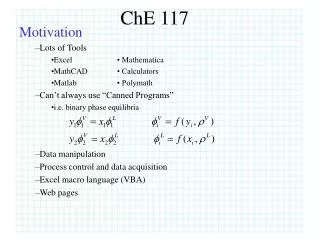
ChE 117 Motivation Lots of Tools Excel •Mathematica MathCAD • Calculators Matlab • Polymath Can’t always use “Canned Programs” i.e. binary phase equilibria Data manipulation Process control and data acquisition Excel macro language (VBA) Web pages
Programming language: Visual Basic • Interface with Excel (VBA) • Similar to Fortran, C, C++, etc • PC-based DAQ (data acquisition) and control • High-level language (vs assembly) • What is: Visual Basic .NET • Computer interface • List of instructions • Contains Interpreter VB machine language “on the fly”
Input Manipulate Output • What is a Program? • Road map • Set of instructions • Good for repetition • Example: convert °F to °C or °C to °F • GUI • ID Parts!
Example Program (manipulation) • Average 3 numbers (10, 12, 15) • Sub Avg() • n1 = 10 • n2 = 12 • n3 = 15 • avge = (n1 + n2 + n3) / 3 • MsgBox avge • End Sub
Decisions (“If” statements) • Sub test2() • label = "F" • TF = 212 • If label = "F" Then • TC = (TF + 460) / 1.8 - 273 • MsgBox TC • End If • End Sub • “If – Then – Else - Endif • Sub test3() • label = "C" • Tin = 100 • If label = "F" Then • Tout = (Tin + 460) / 1.8 - 273 • Else • Tout = (Tin + 273) * 1.8 - 460 • End If • MsgBox Tout • End Sub
Loops (“If” statements) • Add numbers 1 - 10 • Sub looper1() • sum = 1 • n = 1 • 10 If n < 10 Then • n = n + 1 • sum = sum + n • GoTo 10 • End If • MsgBox sum • End Sub • Loops (For – Next) • Sub looper2() • sum = 0 • For i = 1 To 10 • sum = sum + i • Next i • MsgBox sum • End Sub
Worksheets Modules sub & function procedures Chart Sheets User Forms and objects (VBA code) Workbook VB Editor / Modules MS Excel & Visual Basic (VBA ~ VB.6) • Excel Environment
Example Program (manipulation) • Set up macro to calculate an average… use example as template. • Run the macro • Set up Form Button to run macro
Problem Solving Exercise (in groups) • Set up macro to convert 100 kg to lbs or lbs to kg • Display result in msgbox • Run the macro • Set up Form Button to run macro