
Uploaded by
kimberly
6 SLIDES
181 VUES
60LIKES
Essential Computer Components and User Actions for Effective Operation
DESCRIPTION
Discover the fundamental components of a computer system, including the mouse, keyboard, monitor, and central processing unit (CPU). This guide explores how each element contributes to user experience and overall functionality. Learn about essential actions like clicking, typing, selecting, and scrolling with your mouse and keyboard. Understanding these components and their interactions helps users maximize productivity and ensure smoother operation in everyday computing tasks.
Download
1 / 6
Télécharger la présentation 
Essential Computer Components and User Actions for Effective Operation
An Image/Link below is provided (as is) to download presentation
Download Policy: Content on the Website is provided to you AS IS for your information and personal use and may not be sold / licensed / shared on other websites without getting consent from its author.
Content is provided to you AS IS for your information and personal use only.
Download presentation by click this link.
While downloading, if for some reason you are not able to download a presentation, the publisher may have deleted the file from their server.
During download, if you can't get a presentation, the file might be deleted by the publisher.
E N D
Presentation Transcript
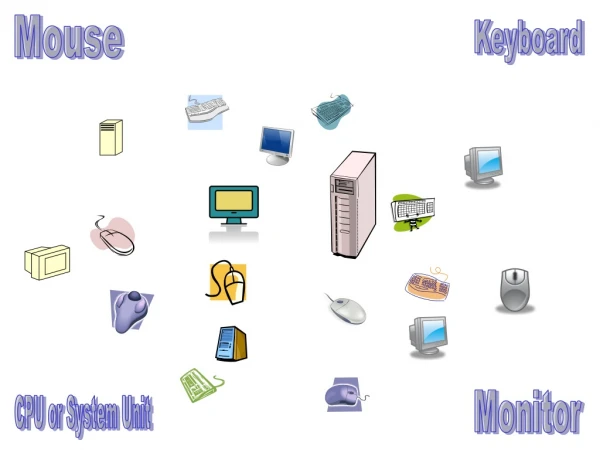
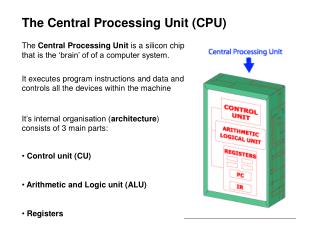
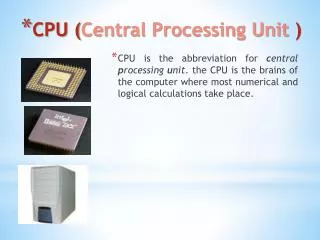
Mouse Keyboard Monitor CPU or System Unit
Mouse Keyboard Monitor CPU or System Unit
H H H H H H H H H S S S S H S
Mouse or Keyboard Click Type Point Select Scroll

More Related