Download
1 / 16
170 likes | 285 Vues
This presentation explores the impactful uses of Interactive Whiteboards and Student Response Systems in the classroom. Discover innovative strategies for utilizing these tools to enhance student engagement, facilitate collaborative learning, and deliver dynamic lessons. From digital storytelling and e-folios to formative assessments and peer instruction, learn how to integrate technology effectively to support diverse learners. Embrace these digital resources to foster a collaborative and interactive learning environment that facilitates both teaching and assessment in real-time.

E N D
Interactive Whiteboards and Student Response Systems in the Classroom EDT3470 October 29 & 31, 2012
http://www.youtube.com/watch?v=75-7UqTy040&feature=related Interactive Whiteboard Teacher Training
http://www.youtube.com/watch?v=RYuIh2IduDk&feature=related Kindergarten Interactive Whiteboard Use
http://www.youtube.com/watch?v=USoWFcZrVdU&feature=related Morning Meeting using Smartboard
Yes • No • Maybe I can image my future students and myself successfully using interactive whiteboards.
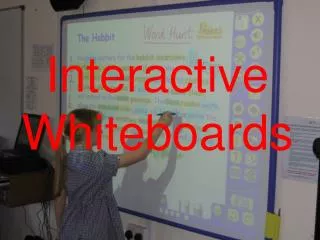
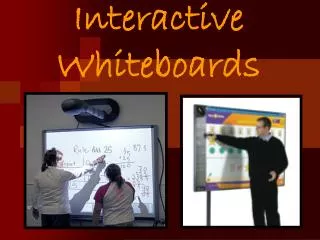
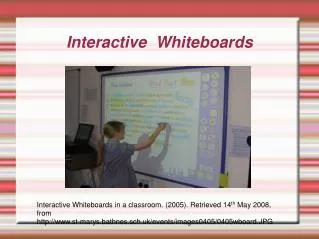
Save lessons to present to students who were absent • Create video files to teach a software application, a lesson, or as a review to be posted to the server or web. Example- How to create a graph in Excel or hoe to burn a projects to cds • Use the built in maps to teach continents, oceans, countries, or states and capitals. • Present presentations created by student or teacher • Have students create e-folios including samples of their work and narration • Digital storytelling • Teach whole group computer or keyboarding skills • Brainstorming • Take notes directly into PowerPoint presentations Uses of Interactive Whiteboards
Teach editing skills using editing marks • Use in the 6 trait writing process • Use highlighter tool to highlight nouns, verbs, adjectives, etc. • Use it with Kidspiration or Inspiration • Teaching students how to navigate the Internet • Illustrate and write a book as a class. Use the record feature to narrate the text. • Use the Interwrite software to create lessons in advance at home or at school. Then save them for future use or to be shared with other teachers • Diagramming activities • Teaching steps to a math problem. Uses of Interactive Whiteboards (con’t)
Graphics and charts with ESL learners and special ed students. • Teaching vocabulary • Electronic Word Wall • End each day by having students write one thing that they learned • Reinforce skills by using on-line interactive web sites • Creating a project calendar • Have students share projects during Parent/Teacher/Student conferences • Working collaboratively on writing and editing exercises, math lessons, and science experiments. Uses of Interactive Whiteboards (con’t)
Accessing Web-based software (such as Google Earth) and other Web resources further expands the potential for using interactive whiteboards in class. Indeed, the list of possibilities is endless. Here are just a few: • Digital storytelling. • Creating, viewing, and annotating student PowerPoint and multimedia presentations in real time. • Showing streamed or downloaded videos. • Using online map and satellite imagery to teach geography. • Displaying artwork or online museum presentations. • Demonstrating moviemaking techniques. • Viewing and analyzing competitive sports and physical education activities. • Teaching students how to conduct research on the Internet. Uses of Interactive Whiteboards (con’t)
http://www.youtube.com/watch?v=CnnP0uCqD4k Student Response Systems in the Classroom
http://www.youtube.com/watch?v=ox9cGQHzG5A&feature=related Student Response Systems
Yes • No • Maybe I believe that student response systems will be useful in my future classroom.
provide instant classroom feedback • promote a risk-free environment • maintain students’ attention during a lecture Student Response Systems in the Classroom
Attendance • Summative Assessment • Formative Assessment • Homework Review • Discussion Warm-Up • Contingent Teaching • Peer Instruction • Repeated Questions • Question-Driven Instruction • “Choose Your Own Adventure” Classes - Voting Uses of Student Response Systems in the Classroom
Interactive Whiteboard Web Sites: http://rmtc.fsdb.k12.fl.us/tutorials/whiteboards.html#resources http://www.edutopia.org/whiteboard-classroom Student Response Systems Web Sites: http://cft.vanderbilt.edu/teaching-guides/technology/clickers/#activities http://www.edweek.org/dd/articles/2009/06/17/04feedback.h02.html Resource Web Sites
Interesting and relevant • Just interesting • Just relevant • Uninteresting and irrelevant Today’s lecture (10/29 & 10/31) was: