Download
1 / 9
90 likes | 196 Vues
This lesson focuses on the importance of ergonomics in the workplace, especially for computer users. It defines ergonomics and discusses employers' responsibility to ensure employee safety and comfort. Key topics include proper monitor and keyboard placement, identifying common ergonomic injuries, and maintaining a suitable work environment. Students will learn effective typing techniques and the significance of resting eyes regularly. The session concludes with resources for improving typing skills and an evaluation of the current work environment based on comfort factors.

E N D
Lesson 3 August 26th, 2010 Ergonomics Continued + Proper Typing
Questions: Homework/MSIP • Define ergonomics in your own words. • Why should employers be interested in ergonomics? • What are four steps to ensure that people working at computers will be safe and comfortable? • What is the most common ergonomic-related injury? What are the symptoms?
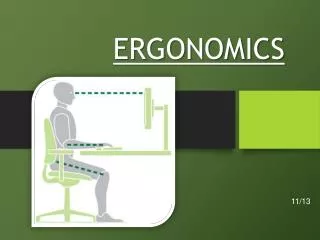
Computer hardware • Monitors • Flat screens help to reduce eyestrain. • Top of the screen should be at eye level • 45 – 60 cm from the face to reduce stress on the eyes and neck • Clean the screen regularly to remove dust and allergens • Rest your eyes by occasionally looking away from the screen.
Computer hardware • Keyboard • The keyboard should be placed at elbow height • Fingers should land on the home row (ASDF JKL;) • Most keyboards are QWERTY style • The angle can be adjusted to suit your needs. • Miniature keyboards require less effort • Ergonomic keyboards have a built-in wrist supports and a curved space between hands on the keyboard for less wrist strain.
Question? How would you rate the work environment here in this class? Rate from 1 – 10. Ten being good and 1 being terrible, explain why you chose the ratings you did for each factor. • Temperature • Air quality • Lighting • Colour • Furniture • Computer hardware
Proper Typing Technique Rules: • Use the correct finger to strike each key. • Do not look at your hands while typing. (put the keyboard reaches to memory) • Sit up straight and feet flat on the floor. • Keep homes row fingers touching home row even when difficult to reach.
The home row • ASDF JKL;
Go to • www.bta2o.weebly.com • Sites to improve your typing and to see how fast you can type • http://www.bbc.co.uk/schools/typing/ • www.typingtest.com • http://www.typeonline.co.uk/typingspeed.php