Download
1 / 1
10 likes | 116 Vues
Discover how to easily register for a free BrainBench account and access various personality tests. Start by visiting www.brainbench.com and clicking on "Individual Certification." Fill out the personal information section using your details or the school address. After registration, log in to your account. Navigate to "Test Center," select "View all free tests," and scroll to "Personality Test." Choose "OTHER" for job title and set salary to "Under $15,000" to begin your assessment. Improve your self-awareness with these insightful evaluations!

E N D
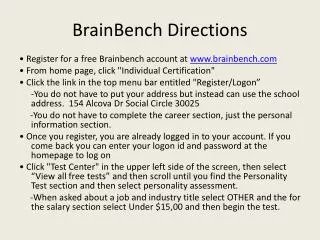
BrainBench Directions • Register for a free Brainbench account at www.brainbench.com • From home page, click "Individual Certification" • Click the link in the top menu bar entitled "Register/Logon” -You do not have to put your address but instead can use the school address. 154 AlcovaDr Social Circle 30025 -You do not have to complete the career section, just the personal information section. • Once you register, you are already logged in to your account. If you come back you can enter your logon id and password at the homepage to log on • Click "Test Center" in the upper left side of the screen, then select “View all free tests” and then scroll until you find the Personality Test section and then select personality assessment. -When asked about a job and industry title select OTHER and the for the salary section select Under $15,00 and then begin the test.