Download
1 / 17
170 likes | 287 Vues
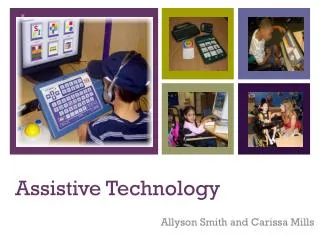
The LTVEC Assistive Technology Center, led by Janice Reese, OT/L, ATP, provides vital support for individuals with disabilities. Our focus is on Assistive Technology (AT), ranging from basic aids like magnifying glasses to advanced communication systems. We emphasize the SETT Framework (Student, Environment, Task, Tools) to tailor AT solutions based on cognitive, physical, and self-care skills. Explore our resources, including adapted play activities and tech accommodations like screen readers and voice dictation, to enhance learning and accessibility for children.

E N D
LTVEC Assistive Technology Center Janice Reese OT/L, ATP www.at4kids.com website littletnvalley@bellsouth.net email
Overview of Assistive Technology (AT) • Helps a person who has a disability to do something he otherwise cannot do. • Can be anything from a simple device such as a magnifying glass to a complex device like a computerized communication system. • Other names that described AT are: • Adaptive Equipment • Augmentative and Alternative Communication (AAC) • Accommodations
Assistive Technology SETT Framework
SETT STUDENT ENVIRONMENT TASK TOOLS
Considerations • Cognitive level • Academic level • Vision, hearing • Self-care skills • Recreation/play/leisure skills • Environmental access • Physical abilities… • Mobility, hand function, head control
The Book/ Reading Center RF.PK.1a Handle books respectfully and appropriately, right side up and turning pages one at a time, front to back Revised Four Year old standards: Reading foundational skills (PK)
W.PK.6. With guidance and support from adults, explore a variety of tools to convert oral messages and ideas into words and pictures Revised Four Year old standards: Production and Distribution of Writing (PK)
PD.PK.5 Experiment with handheld tools to develop strength, control, and dexterity of small muscles Revised Four Year old standards: Physical Development Standards (PK)
SE.PK.6 Initiate play and interact positively with another child or children Revised Four Year old standards: Social emotional standards (PK)
Sample Book Adaptations • Protecting books: laminate, contact paper, zipper bags, page protectors • Oversizing: magnify copy size, scan and resize, paste page onto larger background paper • Altering text: adding sign language or PCS symbols, reversing color contrast or simplifying text • Adding sensory components: 3-d pictures, textures, smells, stuffed animals or props, glitter, adding Braille over text with transparency tape, copying book pages onto transparencies and using a light box • Adding activity components: games, songs, art activities • Adapting for access and handling: page fluffers, 3-ring binders, comb bindings, large handles or pulls
Tech Accommodations Digital text options TTS Screenreaders Voice dictation Keyboarding options Adapted interfaces Integrated computer accessibility features High-tech SGD’s
Resources www.at4kids.com www.livebinders.com www.atbar.org http://aim.cast.org www.taat.org http://udltechtoolkit.wikispaces.com http://windows.microsoft.com/en-us/windows7/products/features/accessibility http://aim.cast.org/learn/e-resources/software-based/screenreaders_tts#.VA22lvldWSq