
Behaviorism
E N D
Presentation Transcript
Behaviorism Part II: Chapter 6 EDF 250
Monday, September 20th • Behaviorist views of learning • Technology assistance
Bluebook Exercise • Read the Learning to Like School scenario • Complete the matching exercise • In your bluebook, write the advantages and disadvantages to using matching as an assessment tool. Be sure to include both the teacher and student perspectives.
Presentations • Do not fill out the form during the presentation as we want to support and give our full attention to our presenter. • Fill out the presentation form and return to Dr. Barfield…she will peruse your professional comments and return them to the presenter with her comments and score the following class.
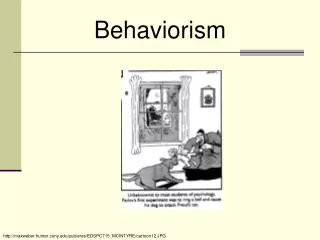
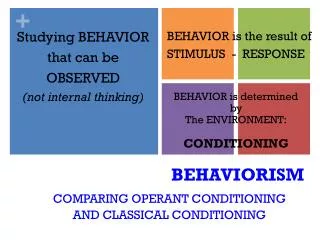
Classical – (Pavlov) Involuntary/Emotional/Physiological Behavior follows stimulus Neutral stimuli assoc. with UCS Ex. Learners assoc. classrooms w/ warmth of teachers – pos. emotions Operant – (Skinner) Voluntary Behavior precedes stimulus Consequences of behavior influence subsequent behaviors Learners attempt to answer to questions, are praised, so attempt increase. Behaviorism
MSU-B EMAIL • You can access the account by getting onto the MSU-B Homepage and hitting CURRENT STUDENT • Hit Student Email Log In near top left • You must log in with your ID (usually your first name initial and last name in one word) and Password (Default Password is your birthday-you can change this if you want) • DIRECT ACCESS: http://mymail.student.msubillings.edu/webmail/login.asp
Textbook Review • Textbook website: • http://www.prenhall.com/eggen Modules Self Assessment (Wed.) Video Clips PRAXIS
Technology Assignment #1 • Find an exceptional internet site that covers one or more of our topics in educational psychology. This site should be one that you are excited about; one that you highly recommend to others. It may take some time to find this gem. Also, it should NOT be a site that is already posted in our Student Share Folder. This is due September 27th.
Student Share Folder - PC • Right click on MY COMPUTER • Choose MAP NETWORK DRIVE • Mark “P” for Psychology for any letter • Mark \\192.156.215.211\edf250-001 or -003 • TO GET IN: Go to MY COMPUTER • Hit OPEN • Choose edf250-001 or edf250-003
Student Share Folder - MAC • Click on APPLE • Select CHOOSER • Select APPLESHARE • Select IP Server Address • Type in “192.156.215.211” • Log in including your password • DOUBLE CLICK on edf250-001 or edf250-003
Closure and Review • Assessment - Matching • Behaviorist views of learning • Textbook Website • For Thursday: Review Chapter 6 (Social Cognitive Theory), work on Tech. Assign. #1 and start to think about research topics for your journal review.