
SlideServe
Menu
Préférences
© SlideServe · v2026

Click here to start

leilani-john avatar
13 diapositives · 302 Views · Dec 02, 2014

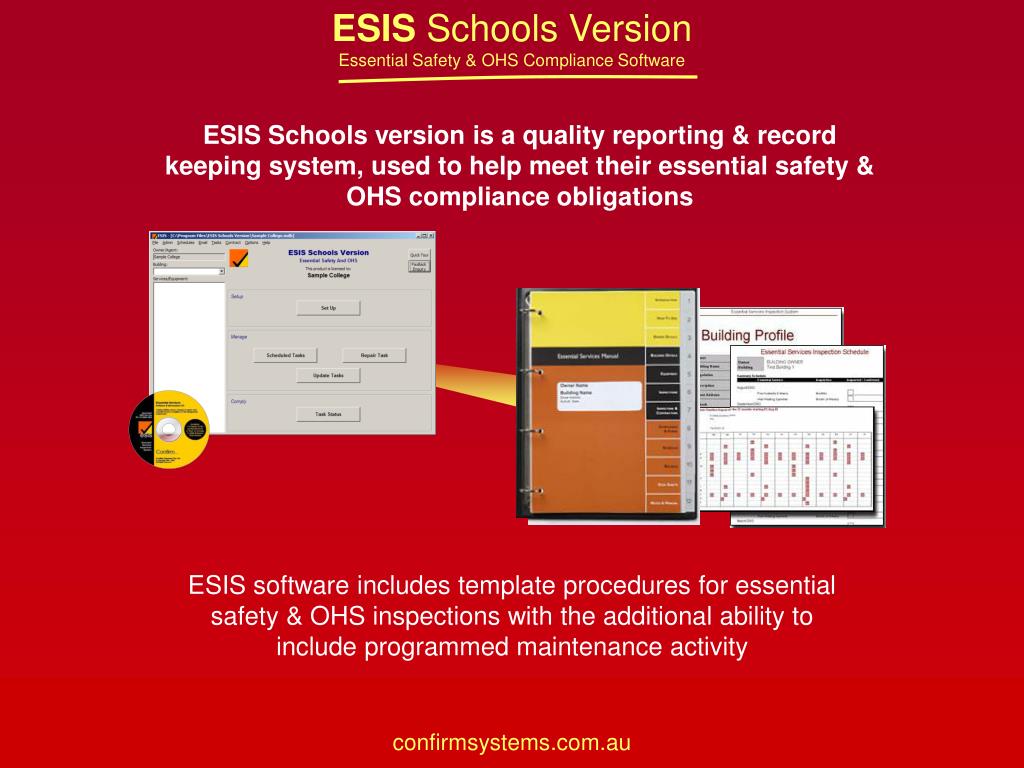
ESIS Schools version is a quality reporting & record keeping system, used to help meet their essential safety & OHS compliance obligations. ESIS software includes template procedures for essential safety & OHS inspections with the additional ability to include programmed maintenance activity.
Click here to start - slide 1
01 / 13Click here to start
1 / 17

Télécharger la présentation

Click here to start
Une image / un lien ci-dessous est fourni (tel quel) pour télécharger la présentation

Politique de téléchargement : le contenu du site vous est fourni TEL QUEL pour votre information et votre usage personnel ; il ne peut être vendu, concédé sous licence ni partagé sur d’autres sites sans l’accord de son auteur.Le contenu vous est fourni TEL QUEL, pour votre information et votre usage personnel uniquement. Téléchargez la présentation en cliquant sur ce lien. Lors du téléchargement, si vous ne parvenez pas à télécharger une présentation, l’éditeur a peut-être supprimé le fichier de son serveur.Pendant le téléchargement, si vous ne parvenez pas à obtenir une présentation, le fichier a peut-être été supprimé par l’éditeur.

F I N

Plus de contenu associé

Transcription de la présentation
  1. ESIS Schools version is a quality reporting & record keeping system, used to help meet their essential safety & OHS compliance obligations ESIS software includes template procedures for essential safety & OHS inspections with the additional ability to include programmed maintenance activity

  2. 7 STEP SET UP PROCESS Quick Tour Click here to start

  3. STEP 1 Enter your school details Owner Tab Save

  4. STEP 2 Enter campus/building details Building Tab Add New Building Save

  5. STEP 3 Add services Services Tab 1. Click on service here 2. Click on > to add Save

  6. STEP 4 Add item details Items Tab Enter details here Save

  7. STEP 5 Add inspector details Items Tab Double click to edit Add Inspector

  8. STEP 6 Allocate inspections & enter service dates Schedule Tab Double click to allocate inspections Enter key service date here Save

  9. STEP 7 Print equipment lists, schedules & log sheets Reports Tab Select reports Preview or Print

  10. REPORTS Equipment Lists Task Records Test Schedules

  11. The ESIS Essential Safety campus manual is a quality presentation binder containing 12 indexed sections with information and hard copy inspection records required by those involved in compliance • Introduction • How To Use • Owner Details • Building Details • Equipment Lists • Inspection Details • Inspectors/Contractors • Compliance Reports • Inspection Schedule • Inspection Records • Data Sheets • Fault Reports

  12. What You Get • ESIS Software CD & Licence • Essential Safety & OHS Template Database • ESIS Manual Binder • Annual Update (additional charge) • Options • Additional Licence & Manuals – for multi campus schools • User Training & Support - telephone or on-site • A range of Set Up and Management services are available to help you get up and running quickly and efficiently

  13. For further information contact: Confirm Systems Pty LtdPO Box 4413, Ringwood VIC 3134, Australia Level 1/66- 70 Railway Road, Blackburn VIC 3130 P: +61 3 9894 2999F: +61 3 9894 4002info@confirmsystems.comwww.confirmsystems.com