Interactive Event Handling Techniques in Web Development
80 likes | 158 Vues
Learn how to implement event handlers for mouse clicks and drag-and-drop interactions in web applications. Explore global variables, cleaner implementation practices, and understanding which element receives events. Dive into practical examples and code snippets.


Interactive Event Handling Techniques in Web Development
E N D
Presentation Transcript
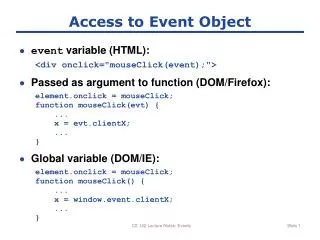
Access to Event Object • event variable (HTML): <div onclick="mouseClick(event);"> • Passed as argument to function (DOM/Firefox): element.onclick = mouseClick; function mouseClick(evt) { ... x = evt.clientX; ... } • Global variable (DOM/IE): element.onclick = mouseClick; function mouseClick() { ... x = window.event.clientX; ... } CS 142 Lecture Notes: Events
Draggable Rectangle <style type="text/css"> #div1 { position: absolute; } </style> ... <div id="div1" onmousedown="mouseDown(event);" onmousemove="mouseMove(event);" onmouseup="mouseUp(event);">Drag Me!</div> CS 142 Lecture Notes: Events
Dragging Application isMouseDown = false; function mouseDown(event) { prevX = event.clientX; prevY = event.clientY; isMouseDown = true; } function mouseMove(event) { if (!isMouseDown) { return; } element = document.getElementById("div1"); element.style.left = (element.offsetLeft + (event.clientX - prevX)) + "px"; element.style.top = (element.offsetTop + (event.clientY - prevY)) + "px"; prevX = event.clientX; prevY = event.clientY; } function mouseUp(event) { isMouseDown = false; } CS 142 Lecture Notes: Events
Cleaner Implementation <body> <div id="div1">Drag Me!</div> <div id="div2">Drag Me Too!</div> <script type="text/javascript" src="dragger.js"> <script type="text/javascript"> //<![CDATA[ new Dragger("div1"); new Dragger("div2"); //]]> </script> </body>} CS 142 Lecture Notes: Events
Dragger.js, part 1 function Dragger(id) { this.isMouseDown = false; this.element = document.getElementById(id); this.element.onmousedown = this.wrap(this, "mouseDown"); } Dragger.prototype.wrap = function(obj, method) { return function(event) { obj[method](event); } } Dragger.prototype.mouseDown = function(event) { this.oldMoveHandler = document.body.onmousemove; document.onmousemove = this.wrap(this, "mouseMove"); this.oldUpHandler = document.body.onmouseup; document.onmouseup = this.wrap(this, "mouseUp"); this.prevX = event.clientX; this.prevY = event.clientY; this.isMouseDown = true; } CS 142 Lecture Notes: Events
Dragger.js, part 2 Dragger.prototype.mouseMove = function(event) { if (!this.isMouseDown) { return; } this.element.style.left = (this.element.offsetLeft + (event.clientX - this.prevX)) + "px"; this.element.style.top = (this.element.offsetTop + (event.clientY - this.prevY)) + "px"; this.prevX = event.clientX; this.prevY = event.clientY; } Dragger.prototype.mouseUp = function(event) { this.isMouseDown = false; document.onmousemove = this.oldMoveHandler; document.onmouseup = this.oldUpHandler; } CS 142 Lecture Notes: Events
Which Element Gets Event? <body> <table> <tr> <td>xyz</td> </tr> </table> </body> Click on this CS 142 Lecture Notes: Events