
Uploaded by
lot
3 SLIDES
157 VUES
30LIKES
How to Save Images to Your Computer or Server
DESCRIPTION
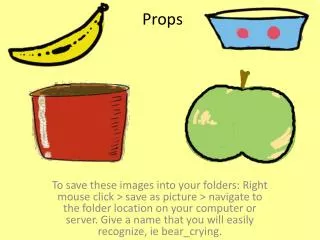
Learn how to save images from the web to your personal folders. Simply right-click on the image, select "Save as picture," and then navigate to the desired folder location on your computer or server. Be sure to choose a recognizable filename, such as "bear_crying," to easily identify the image later on. This step-by-step guide makes image saving straightforward for everyone, regardless of technical skill.
Download
1 / 3
Download Presentation

Télécharger la présentation
How to Save Images to Your Computer or Server
An Image/Link below is provided (as is) to download presentation
Download Policy: Content on the Website is provided to you AS IS for your information and personal use and may not be sold / licensed / shared on other websites without getting consent from its author.
Content is provided to you AS IS for your information and personal use only.
Download presentation by click this link.
While downloading, if for some reason you are not able to download a presentation, the publisher may have deleted the file from their server.
During download, if you can't get a presentation, the file might be deleted by the publisher.
E N D
Presentation Transcript
Props To save these images into your folders: Right mouse click > save as picture > navigate to the folder location on your computer or server. Give a name that you will easily recognize, iebear_crying.





















More Related

Audio
Live Player