
Language Technology for Customer Relations
E N D
Presentation Transcript
Language Technology for Customer Relations John Nerbonne Informatiekunde, Groningen Computer-Mediated Communication Consumenten Contacten in 2005 BSC Seminar, Amsterdam Oct. 12, 2000
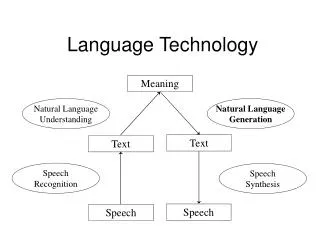
Language Technology • What is language technology? • What are applications of LT? • Will voices replace screens? • How to get it right • Opportunities for consumer relations
Well-known LT applications • Spell checkers • right/wrong, nearest match, variant(s) • Rough translation tools (AltaVista) • Postbank’s stock quotations (telephone) • “Smart” search engines • seek: Kennedy’s daughter • find: the daughter of J.F.Kennedy, Kennedy’s children, etc.
Language Technology Tasks • recognize, analyze words, phrases • index, search, sort, retrieve, store texts • find terminology, person/place names • align translations, correspondences • organize documentation for maintenance, versions, multilingualism
Problems with LT • Language: ambiguous, volatile, sequential • `Don’t stop!’ vs. `Don’t! Stop!’ • Wreck a Nice Beach vs. Recognize Speech • Spoken language quickly fades, is forgotten • Long lists: OK to scan visually, not to hear • LT is young • OVIS 83% of conversations successful
Invest in airlines, or, Why face-to-face won’t go away • High bandwidth • Social (vs. information) factors: • Shared experience, common space • Inimitable presence of the body • “Bonding” • Showing commitment
Compare LT vs. human Apply where miss is disastrous Avoid one-time lookups “general intelligence” unrestricted language (Annual Reports, newspapers, patents) Cost/benefit analysis Apply w. back-up Seek domain repeated info. needs simple logic limited linguistics Thinking about LT applications Do ’s Don’t ’s
Near-term Opportunities • away from PC • mobile phone, pay phone, SMS • complex PC navigation • users won’t tolerate menu after menu,.. • “hands-busy” situations • driving, examining, factory floor • assistance to handicapped
Emerging Topics • Flexible delivery • speech, SMS, or full-screen • via XML • Support for human communication
Getting it Right • New technologies not easy • Bar-code readers (15 year introduction) • Video recorders (1 competent user/family) • Automatic tellers (banks) (90%) • Stoves, washers, dryers, dishwashers, answering machines,... • Suchman’s study for Xerox • the green button
Myths of Interface Design • Interfaces should allow max. functionality -- “anything goes” • text editors that allow letters • Wysiwyg is (always) superior • “What you see is what you get” • Problem: documents, graphics for diff. media? • “Do what I mean, not what I say.” • example problem: overeager spell-checkers line off
Glosser • help with French • endings (grammar) • dictionary access • other examples • word pronunciation • web version • www.let.rug.nl/alfa/ • “projects”
Early Glosser Interface • General mouse control • Users (tried to) look up word pieces • Solution: make mouse sensitive to words • First encouraged “overuse” • Some words looked up several times • Solution: remind users • Users took notes! • Missed “margins” to write in • Solution: allow “gloss” between lines
Early NLP Interfaces (pre-OVIS) • Competition with graphics • Windows Excel vs. NLP • Solution: focus on other delivery (phone) • Based on grammar-book language • When’s the train to Zwolle, ah Meppen? • Solution: base grammar on recorded interaction
Relevant Developments • Informatiekunde, RuG • LT, Web technology • Computer-Mediated Communication • cooperative program IK, Communicatie- en Informatiewetenschappen, RuG • 6-month work period in study
LT for Customer Contact • Contact needs automation • LT can support applications now • modest, repetitive, frequently needed • Repeat until right • Design, implement & evaluate in use