Creating Interactive Web Elements and Forms for OCR Nationals ICT Unit 2 Task 4
110 likes | 230 Vues
In this task, you will enhance a website by creating hyperlinks to connect pages, link to external sites, and set up email links. Using the provided booklet, follow the RED sections for detailed instructions. Your objectives include developing rollover buttons and images, integrating Flash objects, and implementing user controls for audio and video. Additionally, you will create an online form with various fields such as text boxes, radio buttons, checkboxes, and drop-down menus. Document your progress in the GREEN sections.


Creating Interactive Web Elements and Forms for OCR Nationals ICT Unit 2 Task 4
E N D
Presentation Transcript
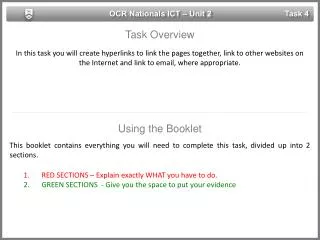
OCR Nationals ICT – Unit 2 Task 4 Task Overview In this task you will create hyperlinks to link the pages together, link to other websites on the Internet and link to email, where appropriate. • Using the Booklet • This booklet contains everything you will need to complete this task, divided up into 2 sections. • RED SECTIONS – Explain exactly WHAT you have to do. • GREEN SECTIONS - Give you the space to put your evidence
OCR Nationals ICT – Unit 2 Task 4 Task 4 Part A • Create interactive element(s) to add to the user experience of the website. You must include: • Rollover button(s) created by you • Rollover image(s) created by you • Flash object(s) • User controls (for audio, video)
OCR Nationals ICT – Unit 2 Task 4 Task 4 Part A – U2T4S3 – Rollover Button(s) Show and explain your completed rollover button(s).
OCR Nationals ICT – Unit 2 Task 4 Task 4 Part A – U2T4S4 – Rollover Image(s) Show and explain your completed rollover image(s).
OCR Nationals ICT – Unit 2 Task 4 Task 4 Part A – U2T4S5 – Flash Object(s) Show and explain your completed flash object(s).
OCR Nationals ICT – Unit 2 Task 4 Task 4 Part A – U2T4S6 – Control(s) Show and explain your completed control(s).
OCR Nationals ICT – Unit 2 Task 4 Task 4 Part A • Create a form to be submitted online. Consider using the following form fields when creating your form: • Text boxes • Radio buttons • Check boxes • Drop-down menus
OCR Nationals ICT – Unit 2 Task 4 Task 4 Part B – U2T4S8 – Text Boxes Show and explain your completed text boxes.
OCR Nationals ICT – Unit 2 Task 4 Task 4 Part B – U2T4S9 – Radio Buttons Show and explain your completed radio buttons.
OCR Nationals ICT – Unit 2 Task 4 Task 4 Part B – U2T4S10 – Check Boxes Show and explain your completed check boxes.
OCR Nationals ICT – Unit 2 Task 4 Task 4 Part B – U2T4S11 – Drop Down menus Show and explain your completed drop down menus.