Maximizing Learning with Daily PowerPoints: Strategies and Benefits
180 likes | 310 Vues
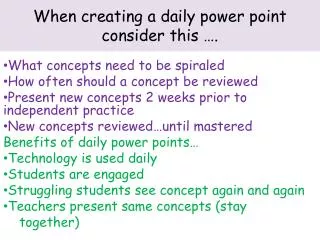
When creating daily PowerPoints, consider how often to revisit concepts and when to introduce new ones—ideally two weeks prior to independent practice. Mastery is essential, so review new concepts until students are confident. The advantages of daily PowerPoints include increased student engagement, especially for struggling learners who benefit from repeated exposure to concepts. Teachers can collaborate by presenting the same content, fostering a unified learning environment. Additionally, using technology effectively enhances the presentation experience, allowing for dynamic interactions through animations, sounds, and multimedia.


Maximizing Learning with Daily PowerPoints: Strategies and Benefits
E N D
Presentation Transcript
When creating a daily power point consider this …. What concepts need to be spiraled How often should a concept be reviewed Present new concepts 2 weeks prior to independent practice New concepts reviewed…until mastered Benefits of daily power points… Technology is used daily Students are engaged Struggling students see concept again and again Teachers present same concepts (stay together)
Right click on the shape to bring up the format shape menu.
Shape outline menu gives options such as color, weight, dashes, & arrow choices.
Ungrouping allows you to change colors and or get rid of extra stuff.
One way to make the B disappear is to put a shape on it and use animations to bring it in front of the letter. Ball