Understanding If-Else Statements in Programming: A Comprehensive Guide
This guide explores the concept of if-else statements in programming, which allow developers to implement decision-making in their code. By using an if-else structure, a program can follow different paths based on the evaluation of conditions. We’ll provide examples, such as temperature checks and grading systems, to illustrate how these statements work. Additionally, we'll discuss the importance of validating inputs, handling errors, and improving code clarity with proper indentation and organization.

Understanding If-Else Statements in Programming: A Comprehensive Guide
E N D
Presentation Transcript
Review • So far… • Input • Output • Remember and • Modify data • Yet to come… • Decision branching • Looping
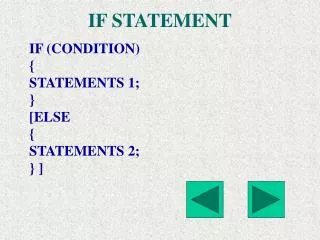
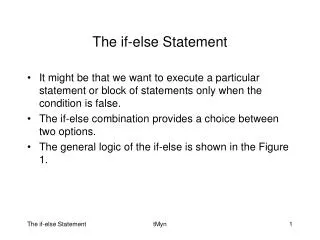
The if-else Statement if (expression) statement1else statement2 allows a program to take one of two branches or paths of execution depending on the value of some expression
The if-else Statement if (expression) statement1else statement2 allows a program to take one of two branches or paths of execution depending on the value of some expression
The if-else Statement if (expression) statement1else statement2 allows a program to take one of two branches or paths of execution depending on the value of some expression
The if-else Statement if (expression) statement1else statement2 allows a program to take one of two branches or paths of execution depending on the value of some expression
Warning! if (temperature > 100); {cout << “It’s hot outside”; }
Example #1 if (4) cout << “hello”;
Example #2 if (0) cout << “hello”;
Example #3 cout << “enter radius: “; cin >> radius; if (radius <= 0) { cout << “Error: no circle has non-positive radius!” << endl; exit(1); }area = PI * radius * radius; cout << “The circle with radius ” << radius << “ has area ” << area << “.” << endl;cout << “Ending this example...” << endl;
Example #3 (revisited) cout << “enter radius: “; cin >> radius; if (radius <= 0) cout << “Error: no circle has non-positive radius!” << endl;else{ area = PI * radius * radius; cout << “The circle with radius ” << radius << “ has area ” << area << “.” << endl;} cout << “Ending this example...” << endl;
Tabs vs Spaces if (tabs == true) {cout << “This is”; cout << “ an example”; cout << “ of bad”; cout << “indentation.”;cout << endl;}
const int MAX_A = 100;const int MIN_A = 90;const int MIN_B = 80; cout << “enter average: ”;cin >> ave;if (ave > MAX_A)cout << “Error: average out of range!” << endl;else if (ave >= MIN_A) grade = ‘A’; else if (ave >= MIN_B) grade = ‘B’; else if (ave >= MIN_C) grade = ‘C’; else grade = ‘F’;
const int MAX_A = 100;const int MIN_A = 90;const int MIN_B = 80; cout << “enter average: ”;cin >> ave;if (ave > MAX_A)cout << “Error: average out of range!” << endl;else if (ave >= MIN_A) grade = ‘A’; else if (ave >= MIN_B) grade = ‘B’; else if (ave >= MIN_C) grade = ‘C’; else grade = ‘F’;
const int MAX_A = 100;const int MIN_A = 90;const int MIN_B = 80; cout << “enter average: ”;cin >> ave;if (ave > MAX_A)cout << “Error: average out of range!” << endl;else if (ave >= MIN_A) grade = ‘A’; else if (ave >= MIN_B) grade = ‘B’; else if (ave >= MIN_C) grade = ‘C’; else grade = ‘F’;
const int MAX_A = 100;const int MIN_A = 90;const int MIN_B = 80; cout << “enter average: ”;cin >> ave;if (ave > MAX_A)cout << “Error: average out of range!” << endl;else if (ave >= MIN_A) grade = ‘A’; else if (ave >= MIN_B) grade = ‘B’; else if (ave >= MIN_C) grade = ‘C’; else grade = ‘F’;
const int MAX_A = 100;const int MIN_A = 90;const int MIN_B = 80; cout << “enter average: ”;cin >> ave;if (ave > MAX_A)cout << “Error: average out of range!” << endl;else if (ave >= MIN_A) grade = ‘A’; else if (ave >= MIN_B) grade = ‘B’; else if (ave >= MIN_C) grade = ‘C’; else grade = ‘F’;
cin >> ave;if (ave > MAX_A)cout << “Error: average out of range!” << endl;else if (ave >= MIN_A) grade = ‘A’;else if (ave >= MIN_B) grade = ‘B’;else if (ave >= MIN_C) grade = ‘C’;else if (ave >= MIN_D) grade = ‘D’;else if (ave >= 0) grade = ‘F’;else exit(3);
The exit Function return 0; exit (3);