Comprehensive Guide to JavaScript Control Structures and Object Handling
This guide covers essential JavaScript control structures like IF statements, SWITCH cases, and loops (FOR, WHILE). It delves into managing objects through creation, property definition, and method implementation. Readers will learn about the powerful array methods including CONCAT, PUSH, and SORT, along with core Date and Math methods. By the end, users will grasp how to efficiently handle various data types and structures, optimizing their JavaScript programming skills for better execution and performance.

Comprehensive Guide to JavaScript Control Structures and Object Handling
E N D
Presentation Transcript
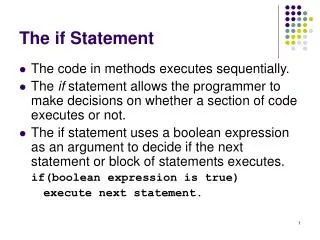
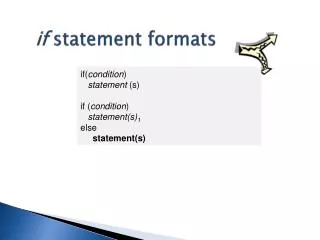
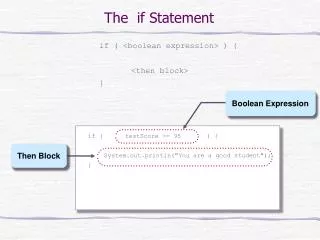
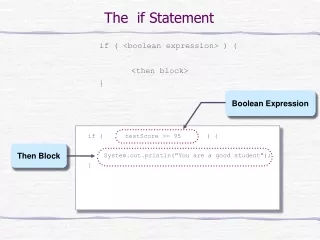
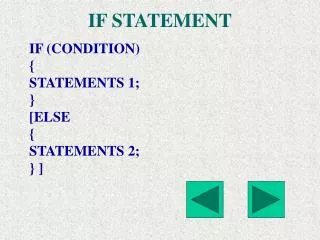
IF STATEMENT IF (CONDITION) { STATEMENTS 1; } [ELSE { STATEMENTS 2; } ]
SWITCH STATEMENT SWITCH(EXPRESSION) { CASE LABEL : STATEMENTS; BREAK; CASE LABEL : STATEMENTS; BREAK; . . . DEFAULT : STATEMENTS; }
FOR LOOP FOR ([INITIAL EXPRESSION]; [CONDITION]; [INCREMENTEXPRESSION];) { STATEMENTS; }
WHILE LOOP WHILE (CONDITION) { STATEMENTS; }
LABEL STATEMENTS LABEL: STATEMENTS CONTINUE CONTINUE [LABEL] BREAK BREAK [LABEL]
FOR IN STATEMENT FOR ( VARIABLE IN OBJECT) { STATEMENTS }
With statement With statement is used to avoid repeatedly specifying the object prefix syntax : with (object) { statements }
ARGUMENTS ARRAY FUNCTIONNAME.ARGUMENTS[INDEX] EXAMPLE: ADDITION.ARGUMENTS[0]
PREDEFINED FUNCTIONS • evel evaluates a string • isFinite evaluates a number whether finite or not • isNaN tests an argument is NOT A NUMBER • parseInt and parseFloat Returns int or float from string • Number and String Converts an object to Number/ String • escape Returns hexadecimal charecters in ISO • unescape Returns ASCII string for hexadecimal encoding
Working with objects • CREATING NEW OBJECTS • OBJECTS AND PROPERTIES • PREDEFINED CORE OBJECTS LIKE ARRAY , MATH, DATE etc.
CREATING NEW OBJECTS Objects can be created using Object Initializers The syntax is objectname = {property1:value1, property2:value2, … propertyn:valuen} Ex - > student = {sno:102, sna:”rama”, total:234}
Objects using constructor Here 1 ) define the object with constructor 2) create object with new operator ex -> function employe(eno,ena,bsal) { this.eno = eno this.ena = ena this.bsal = bsal } var emp = new employe(200,”ramana”,3500) emp.eno = 100 emp.ena = “krishna” emp.bsal = 5000
Defining properties for an object std.fee = 6500 Defining methods Object.methodname = functionname Deleting properties and objects delete std delete emp.bsal
ARRAY OBJECT METHODS • CONCAT JOINS TWO ARRAYS & RETURNS NEW ARRAY • JOIN JOINS ALL ELEMENTS OF AN ARRAY INTO A STRING • POP REMOVES THE LAST ELEMENT OF AN ARRAY AND RETURNS THAT ELEMENT • PUSH ADDS ONE OR MORE ELEMENTS TO THE END OF AN ARRAY AND RETURNS THE LAST ELEMENT NO. ADDED
ARRAY OBJECT METHODS • REVERSE TRANSPOSE THE ELEMENTS OF AN ARRAY • SHIFT REMOVES THE FIRST ELEMENT FROM AN ARRAY AND RETURNS THAT ELEMENT • SLICE EXTRACTS A SECTION OF AN ARRAY AND RETURNS A NEW ARRAY • SORT SORTS THE ARRAY • UNSHIFT ADDS ONE OR MORE ELEMENTS TO THE FRONT OF ARRAY
DATE OBJECT METHODS getDate () returns date within month (1-31) getDay returns day within week (0-6) getHours() returns hour (0-23) getMinutes() returns minutes (0-59) getMonth() returns month (1-12) getSeconds() returns seconds (0-59) getTime() return number of milli seconds since 1/1/70 00:00:00 getYear() returns year getTimeZoneOffsetr() returns minutes offset • From gmt
Date Object methods • setDate(value) sets date within month (1-31) • setHours(value) • setMinutes(value) • setSeconds(value) • setMonth(value) sets month within year(1-12) • setTime(value) sets number of milli seconds • setYear(value) sets number of years since 1900
Date object parameters • Nothing creates an object with current date • “month dd,yyyy hh:mm:ss” creates an object with the specified date and time • yy,mm,dd creates an object with the specified date values • yy,mm,dd,hh,mm,ss creates an object with the specified date and time
Math object methods • Abs(value) • acos(value) • asin(value) • atan(value) • ceil(value) • cos(value) • floor(value) • exp(value) • log(value) • max(value1,value2)
Math object methods • Min(value1,value2) • pow(value1,value2) • random() • round(value) • sin(value) • sqrt(value) • tan(value)