Understanding Python's IF Statement: Syntax and Logic Expressions
This chapter provides an in-depth understanding of Python's IF statement and logic expressions. It explains the syntax of IF statements and how Python evaluates truth using binary logic (1 for true, 0 for false). Examples illustrate the simple IF, IF-else, and nested IF statements along with common logic expressions such as equality, greater than, and and/or operations. A practical "login" scenario demonstrates how to use IF statements effectively. Ideal for beginners seeking to grasp conditional programming in Python.


Understanding Python's IF Statement: Syntax and Logic Expressions
E N D
Presentation Transcript
Chapter 9 IF Statement Dr. Bernard Chen Ph.D. University of Central Arkansas Spring 2012
Outline • Logic expression • General concept behind the Python statement syntax • IF statement
Some Logic Expression • Computer only understand ‘1’ and ‘0’ • In computer logic: • 1: true • 0: false
Some Logic Expression Equal: “==” NOT Equal: “!=” Greater: “>”, “>=” Less than: “<”, “<=”
Some Logic Expression example >>> a=10 >>> b=10 >>> a==b >>> a=10 >>> b=5 >>> a==b
Some Logic Expression example >>> a=10 >>> b=10 >>> a!=b >>> a=10 >>> b=5 >>> a!=b
Some Logic Expression example >>> a=10 >>> b=10 >>> a>=b >>> a=10 >>> b=5 >>> a<b
Outline • Logic expression • General concept behind the Python statement syntax • IF statement
Python’s Syntax • In general, Python has a simple syntax: • Block and statement boundaries are detected automatically: python use indention of statement under a header to group the statement • Header --- ‘:’
Outline • Logic expression • General concept behind the Python statement syntax • IF statement • Simple If statement • If... else statement • If… else if … else statement
If Statement • The main statement used for selecting from alternative actions based on test results • It’s the primary selection tool in Python and represents the Logic process
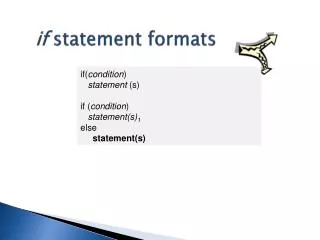
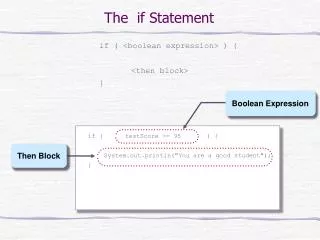
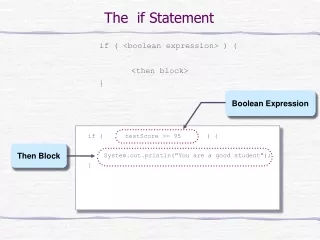
Simple If statement • It takes the form of an if test • if <test>: <statement>
Simple If statement • if 4>3: print “it is true that 4>3” • if 1: print “true” • a=10 • if a==10: print “a=10”
Truth Statement • In Python: • True means any nonzero number or nonempty object • False means not true: a zero number of empty object
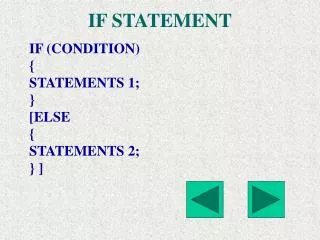
If... else statement • It takes the form of an if test, and ends with an optional else block • if <test>: <statement1> else: <statement2>
If... else statement >>> a=10 >>> b=5 >>> if a>b: print “a is larger” else: print “b is larger”
If... else statement • a=10 • if a==10: print “a=10” else: print “a is not equal to 10” (also try >, < )
If… else if … else statement • It takes the form of an if test, followed by one or more optional elif tests, and ends with an optional else block if <test1>: <statement1> elif <test2>: <statement2> else: <statement3>
If… else if … else statement • a=10 • if a>10: print “a > 10” elif a==10: print “a = 10” else: print “a < 10”
If… else if … else statement example number = 23 guess = int(raw_input('Enter an integer : ')) if guess == number: print 'Congratulations, you guessed it.' print "(but you do not win any prizes!)" elif guess < number: print 'No, it is a little higher than that' else: print 'No, it is a little lower than that'
In class practice import random number=random.randint(1,5) guess = int(raw_input('Enter an integer : ')) if guess == number: print 'Congratulations, you guessed it.' print "(but you do not win any prizes!)" elif guess < number: print 'No, it is a little higher than that' else: print 'No, it is a little lower than that' print 'The answer is:',number
Some More Logic Expression • And (True if both are true) Examples: >>> 5>4 and 8>7 True >>> 5>4 and 8>9 False
Example temp=int(raw_input("Please enter today's tempeture:")) rain=int(raw_input("Is is raining? 1:yes, 0:no")) if temp>86 and rain==0: print "Today is a hot sunny day" elif temp>86 and rain==1: print "Today is a hot raining day" elif temp<32 and rain==0: print "Today is a cold sunny day" elif temp<32 and rain==1: print "Today is a cold raining day" else: print "Today's weather is not special"
Some More Logic Expression • Or (True if either one is true) Examples: >>> 5>4 or 8>7 True >>> 5>4 or 8>9 True
Example a=10 b=20 if a%2==0 and b%2==0: print "Both a and b are even numbers" elif a%2==0 or b%2==0: print "Either a or b is an even number" else: print "Both a and b are odd numbers"
Nested IF statement • Sometimes you may want to check one condition after another condition. In such situation, we call it “Nested IF Statement” • The Code would looks something like:
Example: deposit=int(raw_input('Clerk: How much do you want to deposit? ')) if deposit > 100000: print "Wow, that's a lot of money" if deposit < 500000: print "I need to call my manager" elif deposit < 1000000: print "Let me open an VIP room for you" else: print "Can you merry me?" elif deposit > 1000: print "Sure, let me do it right now, do you want to consider a CD" elif deposit > 1: print "Sure, let me do it right now" else: print "Are you kidding me, I am busy right now..."