Download

1 / 29
290 likes | 416 Vues
In this presentation by David Fekke from JaxDUG, you'll learn how to effectively use ASP.NET MVC3 alongside jQuery to create engaging web applications. The session covers advanced topics such as AJAX integration, managing scripts and styles efficiently, and implementing client-side validation. Discover how to utilize partial views for dynamic content, work with JSON responses, and take advantage of jQuery UI widgets. Whether you are building web or iOS applications, this talk provides practical insights to improve interactivity and user experience in your projects.

E N D
JaxDUG March 2012 Using ASP.NET MVC3 w/ JQuery
Who am I • David Fekke • Web Applications and iOSApps • http://fekke.com/blog/ • JaxDUG, JSSUG, JaxJUG and JaxFusion • David Fekke L.L.C.
.NET Framework ASP.NET MVC 3
JavaScript Framework Jquery 1.7
Semantic Web • Paint HTML • Style and Skin using CSS • Keep CSS at top of page • Keep Scripts at bottom of page • Update using Ajax • Use JsonActionResult
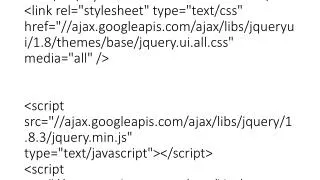
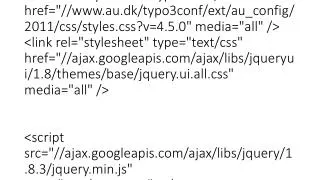
Sections • Create sections in your Layout file • Use section in head for styles • Use section at bottom for scripts • @RenderSection("StyleSection", false) • @section StyleSection in our view
<!DOCTYPE html> <html> <head> <title>@ViewBag.Title</title> @RenderSection(“StyleSection”, false) <head> <body> … Rest of your html body here … @RenderSection(“Scripts”, false) <body> <html>
<appSettings> <add key="ClientValidationEnabled" value="true" /> <add key="UnobtrusiveJavaScriptEnabled" value="true" /> </appSettings>
public class People { public int ID { get; set; } [Required(ErrorMessage="Firstname is required")] [StringLength(50, ErrorMessage="Field too long")] public string FirstName { get; set; } [Required(ErrorMessage = "Lastname is required")] [StringLength(50, ErrorMessage = " Field too long ")] public string LastName { get; set; } [Required(ErrorMessage = "Email is required")] [StringLength(256, ErrorMessage = " Field too long by 256 chars")] [RegularExpression(".+\\@.+\\..+", ErrorMessage = "email not valid")] public string Email { get; set; } }
<input class="text-box single-line" data-val="true" data-val-length="Field too long" data-val-length-max="50" data-val-required="Firstname…" id="FirstName" name="FirstName" type="text" value="" />
Binding to events • Keep scripts at bottom of page • $(“#myButton”).click(fn(e)); • $(“#myButton”).bind(“click”, fn(e)); • $(“#myButton”).delegate(“td”, “click”, fn(e)); • $(“#myButton”).on(“click”, “td”, fn(e));
Please Avoid <sometagonclick=“fn();” /> $(sometag).live(fn);
Event object functions • event.preventDefault(); • event.stopPropagation(); • event.stopImmediatePropagation();
Partial Views • Use partials for Dialogs and pop-ups • $(“#myDiv”).load(“/controller/action”); • Partials are also good for Tabs
Ajax • $.ajax(); • $.getJSON(); • $.post(); • $.get(); • $.load();
Ajax function $.ajax({url:“/myController/myAction", type:“POST”, data: someVar, success:function(result){ $("#results").append(result);}});
getJSON function $.getJSON(“/mycontroller/myAction/232”, function(data) { … }); public ActionResultSampleJsonResponse(int Id) { intmynumber = providerGetNumber(Id); return Json(mynumber, JsonRequestBehavior.AllowGet); }
JQueryUI • Dragging • Widgets, Accordian, Tabs, Datepicker, Dialog, Slider and Autocomplete • Utilities Widget framework • Effects • Grid control coming
3rd Party Jquery Grids • tableSorter • jqGrid • Flexigrid • DataTables • SlickGrid • Ingrid
How to Contact Me • davidfekke@gmail.com • http://www.fekke.com/blog/ • twitter.com/davidfekke
http://asp.net/mvc • Codeplex • http://weblogs.asp.net/scottgu/ • http://bit.ly/mvc-ebook • http://bit.ly/mvcmusicstore • Nuget