Operators and Expressions
This guide covers the fundamental operators and expressions in JavaScript, essential for performing simple calculations. You'll learn about different categories of operators, including arithmetic, logical, bitwise, comparison, and assignment operators, along with their precedence and usage examples. Discover how operators manipulate data at runtime and how expressions yield results by combining operators and operands. Through practical examples and explanations, gain confidence in writing effective JavaScript code for calculations.

Operators and Expressions
E N D
Presentation Transcript
Operators and Expressions Performing Simple Calculations with JavaScript Doncho Minkov Telerik Software Academy http://academy.telerik.com Senior Technical Trainer http://minkov.it
Table of Contents • Operators in JavaScript • Operator Precedence • Arithmetic Operators • Logical Operators • Bitwise Operators • Comparison Operators • Assignment Operators • Other Operators • Expressions
Operators in JavaScript Arithmetic, Logical, Comparison, Assignment, Etc.
What is an Operator? • Operator is an operation performed over data at runtime • Takes one or more arguments (operands) • Produces a new value • Operators have precedence • Precedence defines which will be evaluated first • Expressions are sequences of operators and operands that are evaluated to a single value
Operators in JavaScript • Operators in JavaScript : • Unary – take one operand • Binary – take two operands • Ternary (?:) – takes three operands • Except for the assignment operators, all binary operators are left-associative • The assignment operators and the conditional operator (?:) are right-associative
Operators Precedence (2) • Parenthesis operator always has highest precedence • Note: prefer using parentheses, even when it seems stupid to do so
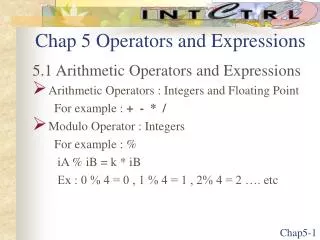
Arithmetic Operators • Arithmetic operators +,-, *, /are the same as in math • Division operator / if used on real numbers returns real number or Infinity or NaN • Remainder operator% returns the remainder from division of integers • The special addition operator ++ increments a variable
Arithmetic Operators – Example var squarePerimeter = 17; var squareSide = squarePerimeter / 4.25; var squareArea = squareSide * squareSide; console.log(squareSide); // 4.25 console.log(squareArea); // 18.0625 var a = 5; var b = 4; console.log( a + b ); // 9 console.log( a + b++ ); // 9 console.log( a + b ); // 10 console.log( a + (++b) ); // 11 console.log( a + b ); // 11 console.log(12 / 3); // 4 console.log(11 / 3); // 3.6666666666666665
Arithmetic Operators –Example (2) console.log(11 % 3); // 2 console.log(11 % -3); // 2 console.log(-11 % 3); // -2 console.log(1.5 / 0.0); // Infinity console.log(-1.5 / 0.0); // -Infinity console.log(0.0 / 0.0); // NaN var x = 0; console.log(5 / x);
Arithmetic Operators Live Demo
Logical Operators • Logical operators take boolean operands and return boolean result • Operator !turns true to false and falsetotrue • Behavior of the operators &&, ||and ^(1== true, 0== false) :
Logical Operators – Example • Using the logical operators: var a = true; var b = false; console.log(a && b); // False console.log(a || b); // True console.log(a ^ b); // True console.log(!b); // True console.log(b || true); // True console.log(b && true); // False console.log(a || true); // True console.log(a && true); // True console.log(!a); // False console.log((5>7) ^ (a==b)); // False
Logical Operators Live Demo
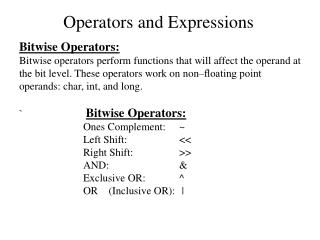
Bitwise Operators • Bitwise operator ~turns all 0 to 1 and all 1 to 0 • Like !for boolean expressions but bit by bit • The operators |,& and^ behave like ||,&& and^ for boolean expressions but bit by bit • The << and >> move the bits (left or right) • Behavior of the operators|,& and^:
Bitwise Operators (2) • Bitwise operators are used on integer numbers • Bitwise operators are applied bit by bit • Examples: var a = 3; // 00000000 00000011 var b = 5; // 00000000 00000101 console.log( a | b); // 00000000 00000111 console.log( a & b); // 00000000 00000001 console.log( a ^ b); // 00000000 00000110 console.log(~a & b); // 00000000 00000100 console.log( true << 1); // 00000000 00000010 console.log( true >> 1); // 00000000 00000000
Live Demo Bitwise Operators
Comparison Operators • Comparison operators are used to compare variables • ==,<,>,>=,<=,!=, ===,!== • Comparison operators example: var a = 5; var b = 4; console.log(a >= b); // True console.log(a != b); // True console.log(a == b); // False console.log(0 == ""); // True console.log(0 === ""); //False
Assignment Operators • Assignment operators are used to assign a value to a variable • =,+=,-=,|=,... • Assignment operators example: var x = 6; var y = 4; console.log(y *= 2); // 8 var z = y = 3; // y=3 and z=3 console.log(z); // 3 console.log(x |= 1); // 7 console.log(x += 3); // 10 console.log(x /= 2); // 5
Comparison and Assignment Operators Live Demo
Other Operators • String concatenation operator +is used to concatenate strings • If the second operand is not a string, it is converted to string automatically var first = "First"; var second = "Second"; console.log(first + second); // FirstSecond var output = "The number is : "; var number = 5; console.log(output + number); // The number is : 5
Other Operators (2) • Member access operator . is used to access object members • Square brackets []are used with arrays indexers and attributes • Parentheses()are used to override the default operator precedence
Other Operators (3) • Conditional operator ?: has the form (if b is true then the result is x else the result is y) • The new operator is used to create new objects • The typeof operator returns the type of the object • thisoperator references the current context • In JavaScript the value this depends on the current scope b ? x : y
Other Operators – Example • Using some other operators: var a = 6; var b = 4; console.log(a > b ? "a>b" : "b>=a"); // a>b console.log((long) a); // 6 var c = b = 3; // b=3; followed by c=3; console.log(c); // 3 console.log(a is int); // True console.log((a+b)/2); // 4 console.log(typeof(int)); // System.Int32
Live Demo Other Operators
Expressions • Expressions are sequences of operators, literals and variables that are evaluated to some value • Examples: var r = (150-20) / 2 + 5; // r=70 // Expression for calculation of circle area var surface = Math.PI * r * r; // Expression for calculation of circle perimeter var perimeter = 2 * Math.PI * r;
Expressions (2) • Expressions has: • Type (integer, real, boolean, ...) • Value • Examples: Expressions of type integer. Calculated at runtime. Expression of type integer. Calculated at compile time. var a = 2 + 3; // a = 5 var b = (a+3) * (a-4) + (2*a + 7) / 4; // b = 12 var greater = (a > b) || ((a == 0) && (b == 0)); Expression of type boolean. Calculated at runtime.
Expressions Live Demo
Operators and Expressions http://academy.telerik.com
Exercises • Write an expression that checks if given integer is odd or even. • Write a boolean expression that checks for given integer if it can be divided (without remainder) by 7 and 5 in the same time. • Write an expression that calculates rectangle’s area by given width and height. • Write an expression that checks for given integer if its third digit (right-to-left) is 7. E. g. 1732 true. • Write a boolean expression for finding if the bit 3(counting from 0) of a given integer is 1 or 0. • Write an expression that checks if given print (x, y) is within a circle K(O, 5).
Exercises (2) • Write an expression that checks if given positive integer number n (n≤ 100) is prime. E.g. 37 is prime. • Write an expression that calculates trapezoid's area by given sides a and band height h. • Write an expression that checks for given point (x, y) if it is within the circle K( (1,1), 3) and out of the rectangle R(top=1, left=-1, width=6, height=2).