Download
1 / 5
60 likes | 192 Vues
Unlock the power of linear algebra with this comprehensive calculator designed for row operations on matrices. Easily manage matrix dimensions, perform row addition, multiplication, and scaling, and create augmented matrices. Utilize tools for row swapping, reduced row echelon form calculations, and troubleshooting non-square systems. Ideal for solving linear systems, finding quadratic and cubic models, and applying matrix functions for various mathematical applications. Perfect for students and professionals looking to streamline their matrix calculations and enhance their understanding of linear transformations.

E N D
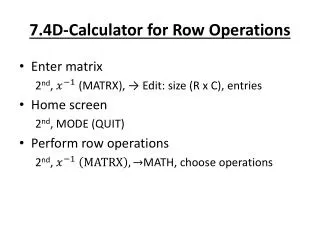
7.4D-Calculator for Row Operations • Enter matrix 2nd, (MATRX), → Edit: size (R x C), entries • Home screen 2nd, MODE (QUIT) • Perform row operations 2nd, MATH, choose operations
Row operations • Make an augmented matrix out of 2 matrices 7: augment(NAME, NAME) • Switch 2 rows C: rowSwap (NAME, first row, second row) • Add 2 rows (already opposites) D: row+(NAME, first row, second row) • Multiply a row by a number E: *row(# mult. by, NAME , row) • Multiply a row by a number & add to another F: *row+ (# mult. by, NAME, row mult., row added to)
More Row Operations • Put in ROW ECHELON Form A: ref(NAME) • Put in REDUCED ROW ECHELON Form B: rref(NAME) • HELPFUL if entire system entered as non-square system before finding ref or rref .
Applications (Use calc) • 1. Set up a linear system and find the quadratic model y=with an augmented matrix and a calculator for f(-2) = -15 f(-1) = 7 f(1) = -3
Application • Set up a system of equations and solve to find the cubic model y= for F(-2)=-7 F(-1)=2 F(1)=-4 F(2)=-7